Human-Machine Interface Design: Essential Guide to HMI Selection, Visualization, and Control System Integration
- 〡
- 〡 by WUPAMBO

Transforming Industrial Automation Through Modern HMI Technology
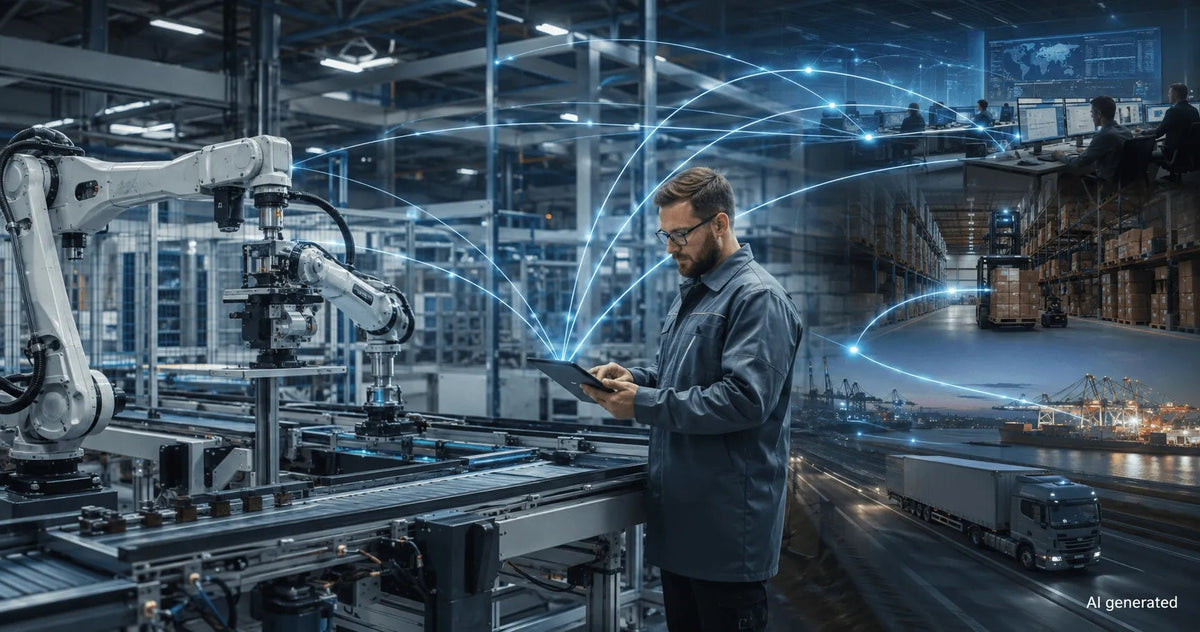
Human-Machine Interfaces (HMIs) serve as the primary operational window into complex industrial automation systems. Modern HMIs convert raw machine data into clear graphical displays, enabling operators to oversee entire manufacturing processes in real time. Instead of relying on physical control panels full of hardwired switches, engineers program interactive screens using intuitive graphics, dynamic color coding, and responsive touch interfaces. Over my 15 years in control systems engineering, I have observed HMIs transform from basic display screens into sophisticated command centers that drive operational efficiency across DCS and PLC environments.
HMI Virtualization versus Hardwired Operator Panels
Traditional factory automation required extensive hardwired pilot devices, physical pushbuttons, and mechanical potentiometers. Modifying a hardwired control panel required drilling enclosure doors, running physical field cables, and updating wiring schematics. In contrast, modern HMI software allows control engineers to modify operational layouts digitally without incurring physical hardware costs. Drag-and-drop object libraries offer pre-built switches, gauges, and valves, enabling rapid application development. Consequently, a single compact touchscreen terminal can effectively replace hundreds of physical panel-mounted devices while dramatically reducing installation labor.
Real-Time Process Visibility and Advanced Alarm Management
Beyond basic equipment control, HMIs deliver vital operational feedback through dynamic trend plots, recipe management, and automated alarm systems. Consider controlling an industrial heat-treating furnace in a metallurgical facility. Rather than adjusting setpoints blindly via analog potentiometers, operators use HMI touch panels to enter exact temperature profiles. The HMI screen simultaneously displays real-time temperature fluctuations, logs historical data, and triggers visual alarms if parameters drift beyond safe operating thresholds. In addition, integrated security protocols ensure that only authorized personnel can alter critical operational setpoints.
Best Practices for HMI Selection and System Architecture
Selecting the right HMI terminal requires careful evaluation of environment, communication protocols, and cybersecurity measures. Plant engineers must evaluate display size, IP protection ratings, and compatibility with third-party PLCs like Allen-Bradley, Siemens, or Schneider Electric. Modern smart manufacturing trends also emphasize remote monitoring capabilities and embedded web servers. However, implementing remote HMI access demands robust defense-in-depth cybersecurity strategies to protect control networks against unauthorized external intrusion.
Practical Application Scenario: Food and Beverage Batch Processing Retrofit
In a recent automation retrofit for a commercial beverage processing plant, engineers replaced aging hardwired pushbuttons with an industrial touchscreen HMI. The engineering team configured automated recipe management features, allowing operators to switch product runs instantly with a single touch. Furthermore, real-time data logging provided full traceability for regulatory compliance, while dynamic trend screens allowed maintenance staff to diagnose pump cavitation issues before mechanical failure occurred. This HMI integration reduced batch changeover downtime by 45 percent and completely eliminated manual data entry errors.
About the Author
Xu Delong is a Principal Industrial Automation Specialist with 15 years of global engineering experience specializing in PLC architectures, DCS visualization, HMI design standards, and power system protection. He frequently collaborates with leading B2B industrial engineering portals to write authoritative technical guides and system architecture white papers.
- Posted in:
- alarm management
- control systems
- data logging
- DCS
- factory automation
- HMI
- PLC
- touchscreen panel