











Product Details
Product Title
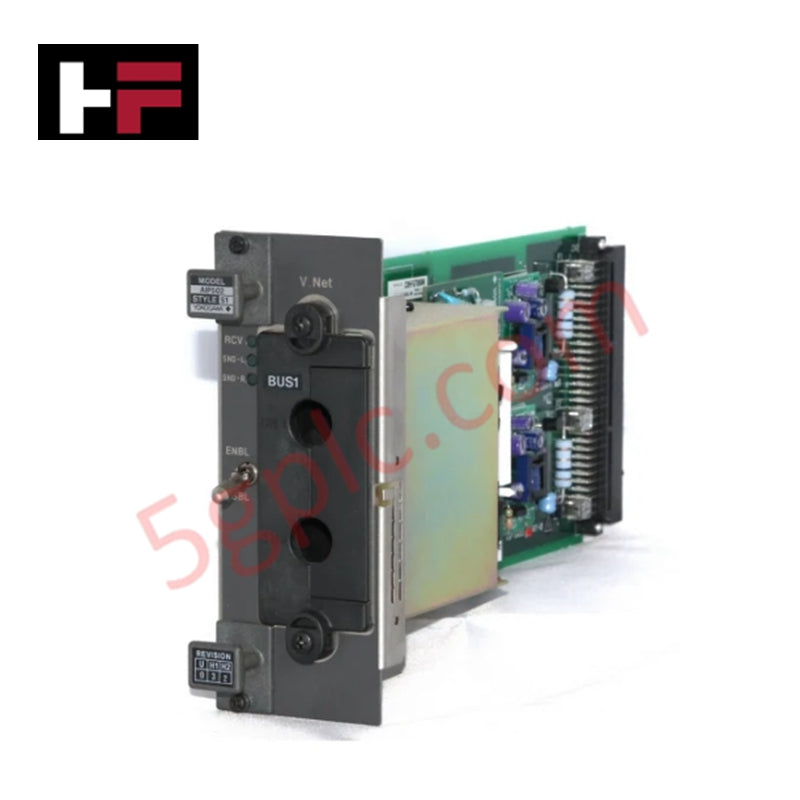
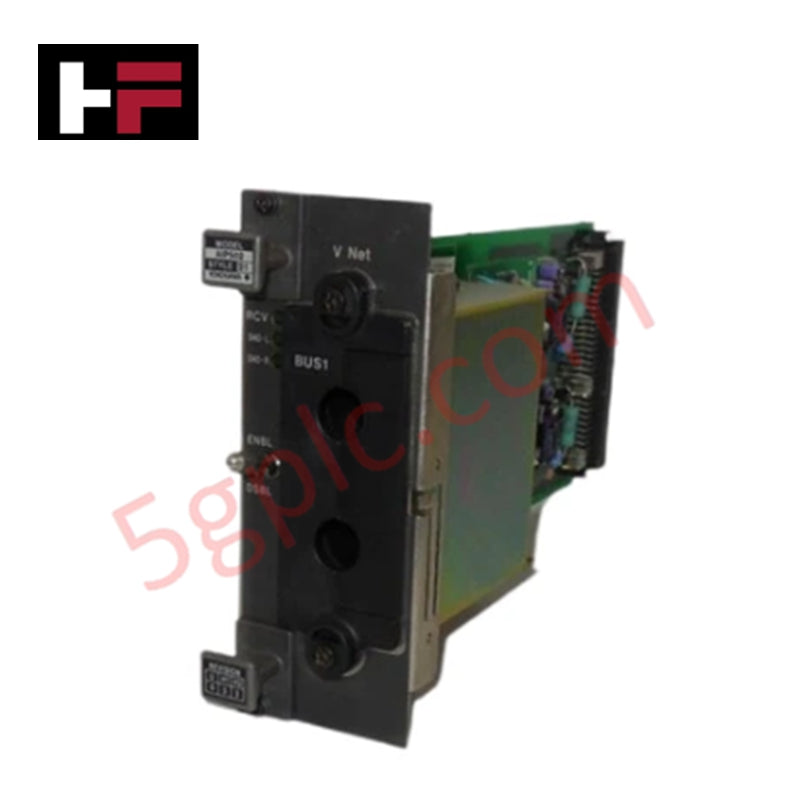
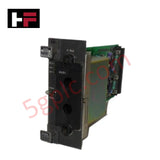
The Yokogawa AIP502 V-Net Coupler Module acts as the critical gateway between Yokogawa’s proprietary high-speed V-Net control bus and standard industrial Ethernet networks. It resolves the isolation challenge often found in legacy DCS architectures by enabling seamless, real-time data exchange between Centum VP Field Control Stations (FCS) and third-party systems utilizing protocols such as Ethernet/IP, Modbus TCP, PROFINET IO, and EtherCAT. This module eliminates the need for complex, external protocol converters, reducing latency and potential points of failure in large-scale process automation. By supporting communication speeds up to 100 Mbps via standard RJ45 interfaces, the AIP502 ensures that vital process data reaches historians, PLCs, and asset management systems with the determinism required for safe and efficient plant operation.
Technical Specifications
|
Parameter |
Specification |
|---|---|
|
Product Type |
V-Net Coupler Module / Communication Gateway |
|
Brand / Series |
Yokogawa / Centum VP Compatible |
|
Model |
AIP502 |
|
Supported Protocols |
Ethernet/IP, Modbus TCP, PROFINET IO, EtherCAT |
|
Communication Speed |
Up to 100 Mbps (Fast Ethernet) |
|
Physical Interface |
RJ45 Ports (Standard Copper Ethernet) |
|
Bus Interface |
V-Net (Yokogawa Proprietary Control Bus) |
|
Dimensions |
15.2 cm (W) × 7.6 cm (H) × 25.4 cm (D) |
|
Weight |
0.6 kg (1.32 lbs) |
|
Mounting |
Dedicated slot in Centum VP Node Unit |
|
Data Transfer Mode |
Full-duplex switching for high throughput |
|
Primary Application |
Multi-vendor system integration, Data Historian connectivity |
Model Code Decomposition
The Yokogawa AIP502 adheres to the strict naming conventions of the Centum VP communication hardware family. As a dedicated protocol conversion and coupling unit, it utilizes a fixed functional designation without variable suffixes for standard orders.
Part Number: AIP502
-
AI: Identifies the module category within the Centum architecture, specifically denoting Interface or Communication functions.
-
P: Specifies the hardware platform series, confirming compatibility with the Centum VP node backplane and chassis structure.
-
502: The unique functional identifier for the V-Net Coupler capable of bridging V-Net traffic to multiple Industrial Ethernet protocols.
-
Note: Unlike analog I/O modules that often require suffixes to define terminal block types or intrinsic safety barriers (e.g., -S1, -H2), the AIP502 is a self-contained communication processor. The base model number "AIP502" fully defines its protocol stack capabilities and physical interface. Specific protocol activation (e.g., enabling only Modbus TCP vs. PROFINET) is typically managed via software licensing or configuration parameters within the Vx-Toolset engineering environment, rather than distinct hardware suffixes.
Installation Recommendations and Wiring Guidelines
Installation of the AIP502 requires careful attention to network segmentation and physical layer integrity. Insert the module into the designated communication slot of the Centum VP node unit while the system is powered down, or utilize hot-swapping procedures if the node configuration supports it and redundancy is active. Ensure the module is firmly seated to maintain reliable contact with the V-Net backplane traces.
For Ethernet connectivity, use Category 5e or Category 6 shielded twisted-pair (STP) cables terminated with high-quality RJ45 connectors. In industrial environments with heavy machinery or variable frequency drives (VFDs), shielding is critical to prevent electromagnetic interference (EMI) from corrupting high-speed data packets. Ground the cable shield at one end only (typically the switch side) to avoid ground loops, unless the specific facility grounding strategy dictates otherwise. Connect the RJ45 port to an industrial-grade managed switch configured for the specific protocol requirements (e.g., setting up VLANs for PROFINET or adjusting packet intervals for EtherCAT). Verify link status via the module’s front-panel LEDs; a solid green light indicates a successful 100 Mbps link, while amber may indicate a 10 Mbps fallback or negotiation error. After physical installation, download the communication configuration from the Engineering Station to activate the specific protocol drivers on the AIP502.
Frequently Asked Questions (FAQ)
Q: Can the AIP502 run multiple protocols simultaneously?
A: Yes, the AIP502 is designed with a multi-protocol stack. It can handle concurrent communication sessions for Ethernet/IP, Modbus TCP, PROFINET IO, and EtherCAT, subject to the processing load limits of the specific firmware version and the bandwidth capacity of the 100 Mbps link. Configuration of simultaneous protocols is managed via the Centum VP engineering software.
Q: Is the AIP502 compatible with Gigabit Ethernet networks?
A: The AIP502 hardware interface operates at speeds up to 100 Mbps (Fast Ethernet). While it can physically connect to a Gigabit Ethernet switch, the link will negotiate down to 100 Mbps. For applications requiring Gigabit throughput, a different model or an external high-speed gateway architecture may be necessary.
Q: Does this module replace the need for external gateways?
A: In most standard integration scenarios, yes. The AIP502 natively supports major industrial protocols, eliminating the need for third-party hardware gateways that introduce additional latency, power requirements, and maintenance overhead. It integrates directly into the Centum VP node, simplifying the cabinet layout.
Q: How is the communication configuration managed?
A: Configuration is performed using Yokogawa’s Vx-Toolset engineering software. Engineers define the V-Net tags to be exposed, map them to the specific protocol registers (e.g., Modbus holding registers, PROFINET I/O mapping), and set update rates. The configuration is then downloaded to the Field Control Station (FCS) where the AIP502 resides.
Q: What happens to communication if the V-Net side fails?
A: The AIP502 monitors the health of the V-Net connection. If the V-Net link is lost, the module will typically flag a communication error to the connected Ethernet devices (depending on protocol specifics) and cease updating process values to prevent stale data usage. Alarms are generated within the Centum VP operator station to alert personnel of the gateway status.
Additional Information
- 100% Genuine Parts: All products are original and authentic, ensuring reliable industrial performance.
- 30-Day Refund Guarantee: Return any in-stock item within 30 days in original, unopened packaging for a full refund (excluding shipping and fees).
- 12-Month Warranty: Covers defects in materials or workmanship; excludes misuse, normal wear, or unauthorized modifications.
- Worldwide Shipping: We ship via USPS, UPS, FedEx, and DHL. Delivery times vary by country and may be subject to customs or import fees.
- Support & Contact: Technical and warranty assistance is available anytime. Contact us here: Contact.
- Purchase Guidance: Check product specifications and compatibility carefully before ordering to ensure proper application.


Tech & Buying Guide
Modern Industrial Automation: Transforming Safety and Efficiency in Mining Operations
Industrial automation has evolved from a simple manufacturing tool into the operational backbone of high-risk sectors. Modern mining operations increasingly rely on advanced control systems, programmable logic controllers (PLCs), distributed control systems (DCS), and artificial intelligence to address deep-underground hazards. By replacing manual labor in high-risk zones, factory automation technologies protect personnel while significantly boosting operational throughput.

Step-by-Step System Cabinet Health Check Guide for PLC and DCS Infrastructure
