











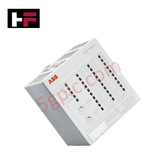
Product Details
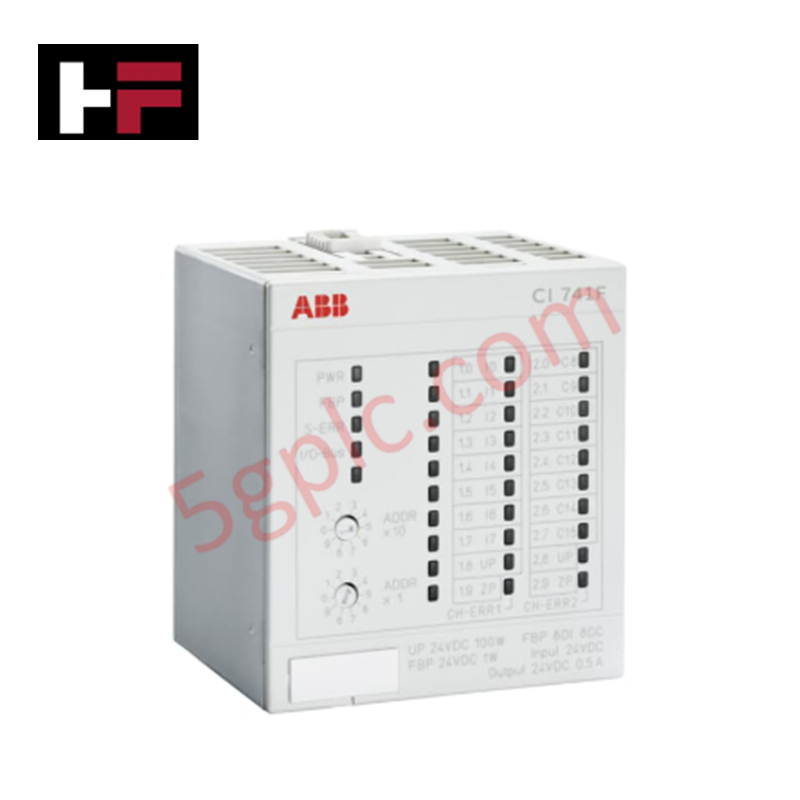
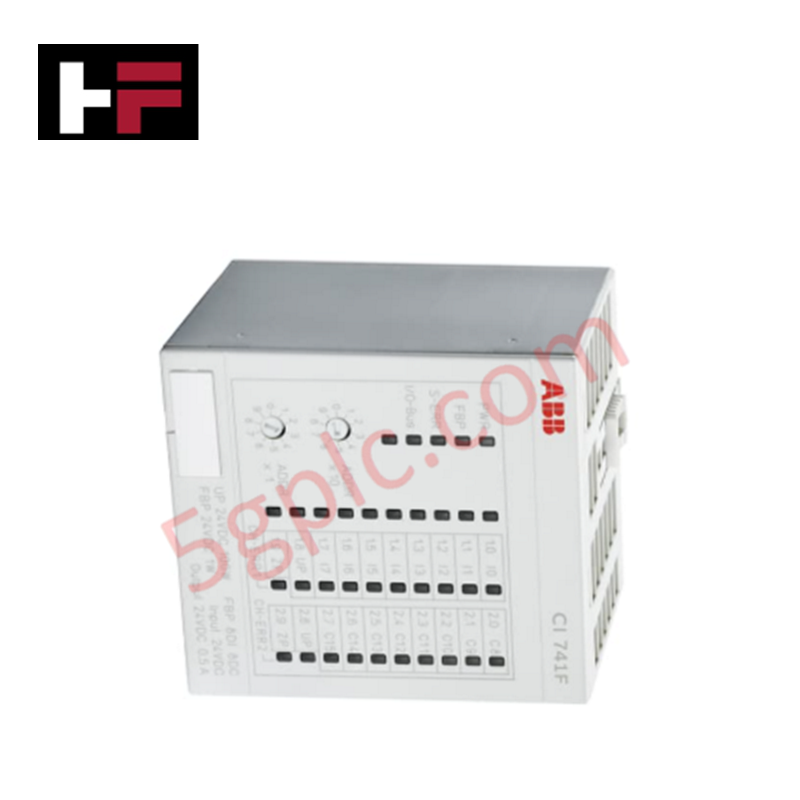
The ABB CI741F 3BDH000396R0005, also cataloged as the CI741F PROFIBUS Slave Communication Interface, operates as a dedicated hardware component for fieldbus data translation and multi-channel signal processing within Freelance AC 700F system architectures. The unit integrates a PROFIBUS DP slave port alongside 8 digital inputs, 8 digital outputs, 4 analog inputs, and 2 analog outputs for direct I/O signal acquisition.
Hardware Specifications
| Parameter | Specification |
|---|---|
| Model | CI741F 3BDH000396R0005 |
| Brand | ABB |
| Origin | Global Manufacturing Facilities |
| Weight | 0.158 kg (158 g) |
| Dimensions | 67.5 mm x 62 mm x 76 mm |
| Operating Temp | Standard Industrial Operating Range |
| Power Consumption | 5 W typical (24 VDC 1-wire: 100 W max total load capacity) |
| Communication Interface | 1 x PROFIBUS DP Slave (Sub-D connector plug) |
| Digital I/O Channels | 8 DI (24 VDC), 8 DO (24 VDC / 0.5 A) |
| Analog I/O Channels | 4 AI (+-10 V, 0/4-20 mA, RTD), 2 AO (+-10 V, 0/4-20 mA), 12-Bit + sign |
| Terminal Unit Base | Compatible with TU709F / TU710F |
Backplane Bus Communication Velocity & I/O Density Scaling
The CI741F module establishes deterministic cyclic communication over PROFIBUS DP network infrastructures while maintaining backplane bus communication velocity across attached S700 I/O clusters. Its multi-signal density combines digital discrete logic and 12-bit analog loops into a single chassis footprint, optimizing cabinet I/O density scaling without auxiliary expanders. The module maintains full firmware flash compatibility, allowing seamless node address configuration and protocol synchronization when docked onto TU709F or TU710F terminal units.
Frequently Asked Questions
Q: Does the CI741F communication interface support hot-swap insertion during operation?
A: No. The CI741F does not support hot-swapping; power to the terminal unit base must be disconnected prior to removing or installing the module.
Q: Which terminal unit bases are compatible with the CI741F module?
A: The CI741F installs directly onto the ABB TU709F or TU710F terminal unit mounting bases.
Q: What signal types are supported on the integrated analog channels?
A: Analog inputs support +-10 V, 0/4-20 mA current loops, and RTD temperature sensors. Analog outputs provide configurable +-10 V or 0/4-20 mA control signals.
Field Installation Guidelines
Follow these technical procedures during panel installation and field wiring:
- Terminal Base Docking: Align the rear connector pins of the CI741F with the TU709F or TU710F terminal unit interface, pressing straight in until the locking side tabs engage.
- Ground & Shielding: Connect the PROFIBUS DP cable braid to the metallic shield clamp on the Sub-D connector shell to establish continuous low-impedance earthing.
- Field Bus Connection: Fasten the 9-pin Sub-D PROFIBUS cable plug onto the module port and secure the mounting thumb screws.
- Signal Cable Separation: Route low-level analog input cables and RTD wires in dedicated wire ducts isolated from high-voltage AC lines to eliminate signal interference.
Additional Information
- 100% Genuine Parts: All products are original and authentic, ensuring reliable industrial performance.
- 30-Day Refund Guarantee: Return any in-stock item within 30 days in original, unopened packaging for a full refund (excluding shipping and fees).
- 12-Month Warranty: Covers defects in materials or workmanship; excludes misuse, normal wear, or unauthorized modifications.
- Worldwide Shipping: We ship via USPS, UPS, FedEx, and DHL. Delivery times vary by country and may be subject to customs or import fees.
- Support & Contact: Technical and warranty assistance is available anytime. Contact us here: Contact.
- Purchase Guidance: Check product specifications and compatibility carefully before ordering to ensure proper application.




Tech & Buying Guide

Demystifying the DDE Protocol in Legacy Industrial Automation Systems
Modern control systems rely heavily on seamless interprocess communication to exchange operational data between software programs. Microsoft first introduced the Dynamic Data Exchange (DDE) protocol in 1987 to enable real-time data sharing. In factory automation, DDE served as an early bridge between control software and Windows desktop applications. Therefore, understanding DDE mechanics provides crucial insights into how legacy industrial networks established software-level connectivity.

Demystifying CPU Communication Ports in Siemens PLC Architectures
Industrial automation relies heavily on robust data exchange between devices. Without seamless connectivity, field instruments, network switches, human-machine interfaces, and programmable logic controllers cannot coordinate effectively. Therefore, understanding the various CPU communication ports available in Siemens hardware ensures efficient factory automation design and seamless system integration.

Mastering the Siemens PLC Scan Cycle: How the CPU Executes Automation Programs
Industrial automation relies heavily on programmable logic controllers (PLCs) to manage complex manufacturing processes. Many engineers dive straight into programming without mastering the underlying architecture. However, understanding how a PLC CPU executes a program ensures reliable system design. Therefore, mastering the scan cycle optimizes both performance and troubleshooting in modern control systems.