













Product Details
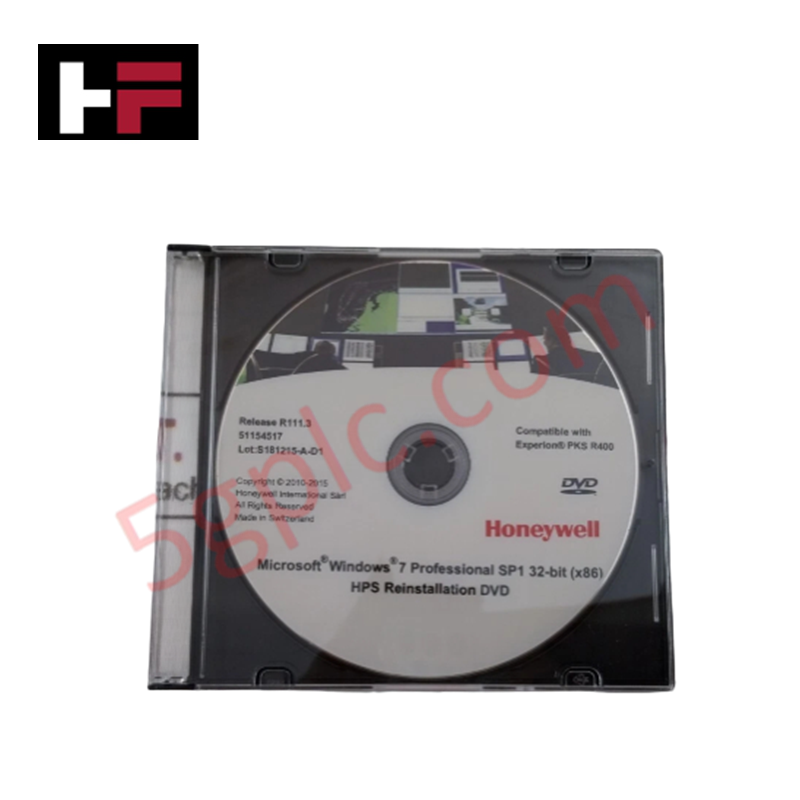
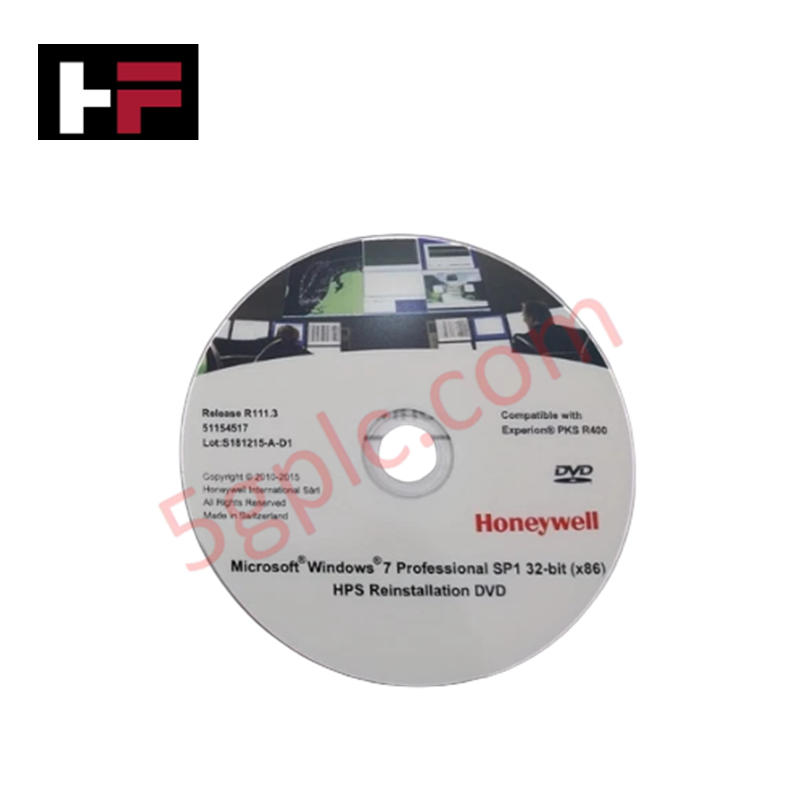
The Honeywell 51154517, also cataloged as the 51154517 Reinstallation DVD, operates as a dedicated hardware component for operating system deployment, node recovery, and system image restoration within Honeywell Process Solutions (HPS) Experion PKS platforms.
Hardware Specifications
| Parameter | Specification |
|---|---|
| Model | 51154517 |
| Brand | Honeywell |
| Origin | USA |
| Weight | 0.1 kg |
| Dimensions | Standard optical media (120 mm) |
| Operating Temp | 0 to +50 deg C |
| Power Consumption | Passive optical storage media |
| Product Type | Operating System Reinstallation Media |
| Operating System | Microsoft Windows 7 Professional SP1 (32-Bit) |
| System Compatibility | Honeywell HPS Workstations and Console Nodes |
| Media Format | DVD-ROM |
Process Control and DCS Instrumentation Characteristics
The 51154517 operating system reinstallation DVD supplies the standardized Windows 7 baseline environment required for running Honeywell Process Solutions (HPS) control applications. Installing the operating system via this HPS-validated media ensures correct driver loading and network stack stability for Fault Tolerant Ethernet (FTE) interfaces. This software environment supports deterministic execution when processing 4-20 mA HART loop protocol diagnostics and multi-variable DCS data streams, while maintaining proper software interface stability for input modules requiring precise channel-to-channel isolation and cold junction compensation (CJC) processing.
Frequently Asked Questions
Q: How is the 51154517 reinstallation DVD deployed to a DCS workstation node?
A: The DVD is booted directly from the host workstation optical drive or executed via the HPS system recovery tool to restore the workstation operating system to its factory-certified baseline image.
Q: Can the 51154517 DVD be used to upgrade an active node while process control is running?
A: No. Reinstalling the operating system requires taking the target workstation or operator console completely offline, requiring control loop monitoring to be transferred to a redundant node.
Field Installation Guidelines
- Insert the 51154517 DVD into the optical drive of the designated Honeywell workstation hardware.
- Ensure all project database files and node configuration licenses are fully backed up to an external media drive prior to OS installation.
- Boot the workstation into the installation environment and follow the HPS setup prompts to complete OS partitioning and formatting.
- Verify network driver load status and configure Fault Tolerant Ethernet (FTE) IP parameters upon boot completion.
- Perform a full system security and license check before rejoining the node to the active Experion PKS control network.
Additional Information
- 100% Genuine Parts: All products are original and authentic, ensuring reliable industrial performance.
- 30-Day Refund Guarantee: Return any in-stock item within 30 days in original, unopened packaging for a full refund (excluding shipping and fees).
- 12-Month Warranty: Covers defects in materials or workmanship; excludes misuse, normal wear, or unauthorized modifications.
- Worldwide Shipping: We ship via USPS, UPS, FedEx, and DHL. Delivery times vary by country and may be subject to customs or import fees.
- Support & Contact: Technical and warranty assistance is available anytime. Contact us here: Contact.
- Purchase Guidance: Check product specifications and compatibility carefully before ordering to ensure proper application.




Tech & Buying Guide

Mastering Wire Identification in Industrial Automation: The Power of Ferrules and Cross-Ferruling
Proper wire labeling forms the cornerstone of reliable control system installation and long-term maintenance. In complex industrial automation environments, technicians terminate thousands of conductor ends inside control panels, marshalling racks, and field junction boxes. Ferrules serve as individual tube-shaped sleeve markers slipped onto conductors before final termination. While technicians historically relied on pre-printed individual letter rings, modern control panel builders utilize automated ferrule printing machines. These thermal-transfer printers generate durable, single-sleeve heat-shrink tags directly matching approved wiring schematics, significantly accelerating cabinet assembly workflows.

Understanding Marshalling Cabinets in Industrial Automation and Control Systems
Marshalling cabinets serve as the crucial connection hub between field instruments and centralized processing units. In large DCS and PLC control system architectures, hundreds of multipair field cables run from local junction boxes to the central instrument equipment room. The marshalling cabinet houses field terminal blocks, surge arresters, intrinsic safety isolation barriers, and interposing relays. By segregating field field-wiring terminations from sensitive processor hardware, engineers protect expensive controller backplanes from high-voltage transients. Consequently, this modular separation dramatically streamlines maintenance workflows and simplifies system expansion.

Essential Best Practices for PLC Wiring and Installation in Industrial Automation
Successful control system deployment begins with thoroughly reviewing manufacturer technical documentation. Controllers from major brands like Allen-Bradley, Siemens, and Schneider Electric feature unique terminal layouts. Engineers must verify voltage requirements before connecting power cables to prevent catastrophic equipment damage. Standard line connections require strict adherence to regional electrical codes and proper wire color coding. Furthermore, panel builders should always establish a robust low-impedance ground connection using at least 16-AWG copper conductor tied directly to the main plant grounding grid.