












Product Details
Module Overview
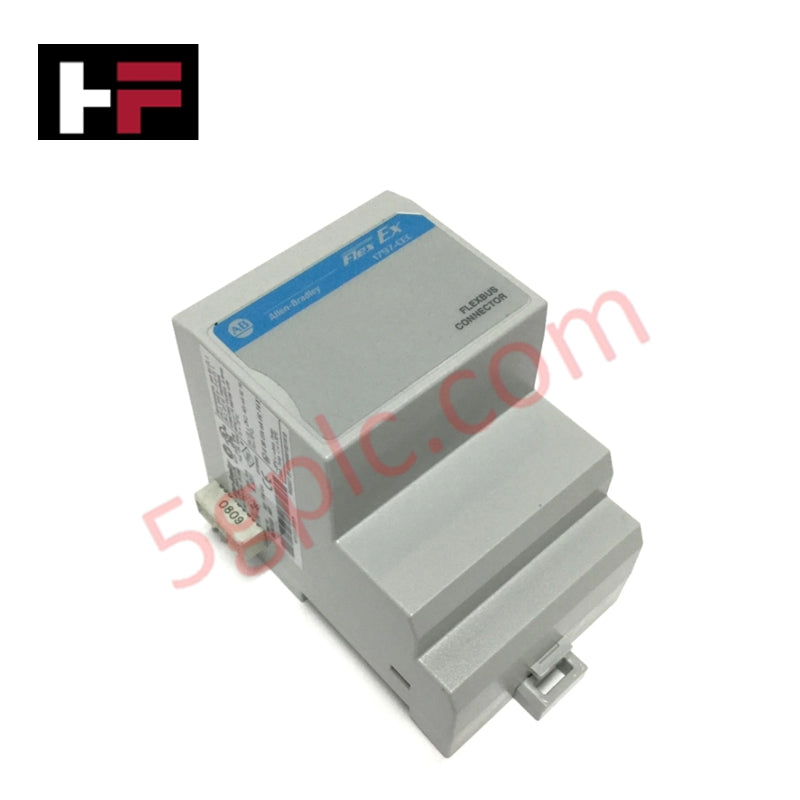
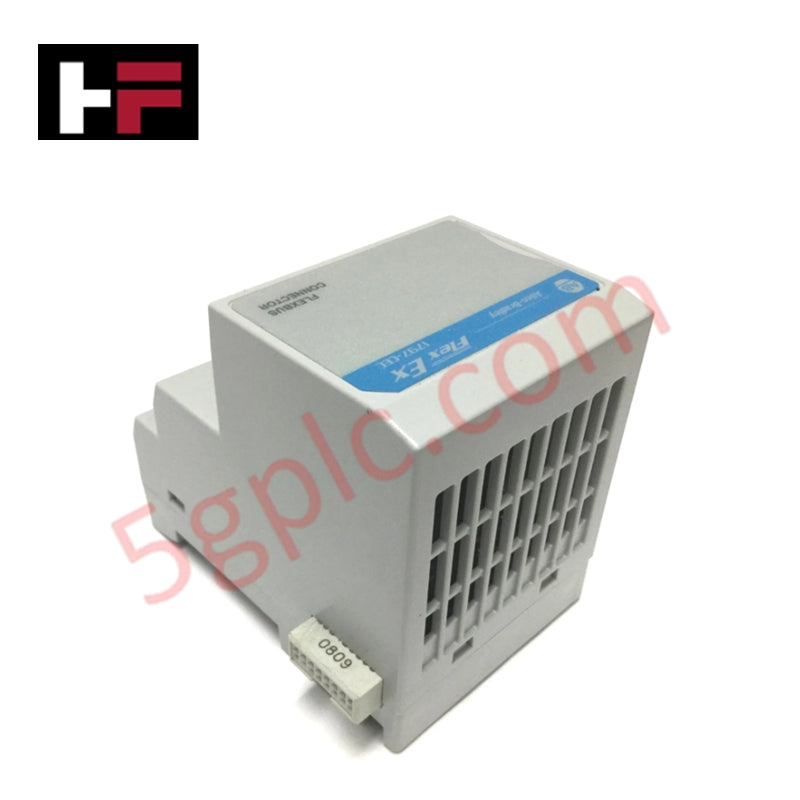
The 1797-CEC is a specialized backplane extension and bus connector module within the Allen-Bradley FLEX Ex I/O family. Its primary function is to provide an intrinsically safe (IS) compatible mechanism to connect the internal communication bus (FlexBus) across different sections of a DIN rail. This module is essential for "intermixed" systems where a designer needs to combine standard FLEX I/O modules and intrinsically safe FLEX Ex modules on the same adapter group. It effectively acts as a bridge that maintains the integrity of the IS backplane while allowing the system to scale up to its maximum capacity of eight I/O modules.
Detailed Engineering Specifications
The 1797-CEC is a passive mechanical and electrical interface designed for hazardous area backplane continuity.
-
Product Type: FlexBus Connector / Bus Isolator Extension
-
Product Line: FLEX Ex 1797
-
I/O Module Capacity: Supports up to 8 I/O modules on the "slave" side
-
Function: Connects standard FLEX I/O adapters/modules to FLEX Ex modules
-
Mounting: 35mm x 7.5mm DIN Rail (Zinc-plated yellow-chromate steel recommended)
-
Protection Factor: IP20 (Open-style equipment)
-
Operational Temperature: -20°C to 70°C (-4°F to 158°F)
-
Storage Temperature: -40°C to 85°C (-40°F to 185°F)
-
Relative Humidity: 5% to 95% (Non-condensing)
-
Operating Shock: 30g peak acceleration
-
Physical Weight: 1.17 lbs (0.53 kg)
-
Hazardous Location Rating: II 3G Ex nA IIC (ATEX compliant for Zone 2)
System Architecture and Intermixing
The 1797-CEC is typically used in conjunction with the 1797-BIC (Bus Isolator Module). In an intermixed system, standard FLEX I/O modules are mounted to the left of the 1797-CEC, while the intrinsically safe FLEX Ex modules are mounted to the right. This physical separation is critical for:
-
Power Conversion: Helping convert hazardous power to IS-safe power for the bus receiver circuitry.
-
Signal Isolation: Ensuring that non-IS signals cannot propagate into the IS-protected portion of the backplane.
-
Grounding: Maintaining a consistent ground path across the DIN rail through the use of high-conductivity rail materials.
Installation Guidelines
To install the 1797-CEC, follow these critical steps to ensure backplane alignment:
-
Remove Cover Plugs: Clear any protective plugs from the male FlexBus connector of the adjacent module.
-
DIN Rail Alignment: Hook the top of the module onto the DIN rail and rotate it downward until the locking tab snaps into place.
-
Horizontal Connection: Firmly push the module to the left into the adjacent adapter or terminal base until the units interconnect.
-
Locking: Use DIN rail locks (like the 1492-EA35) to prevent accidental separation, especially in high-vibration environments.
Technical FAQ
Can I place the 1797-CEC between two standard FLEX I/O modules?
No. The 1797-CEC must be positioned to the right of standard FLEX I/O modules. It serves as the transition point into the FLEX Ex (intrinsically safe) portion of the rack.
Does this module require its own power supply?
The 1797-CEC itself is a connector and isolator interface; however, the FLEX Ex modules connected to its "slave" side must be powered by a 1797-PS series intrinsically safe power supply to maintain the IS rating of the system.
Is this module still being manufactured?
The 1797-CEC has been discontinued by Rockwell Automation. It is primarily available through specialized industrial surplus and repair vendors. When sourcing a replacement, ensure the unit carries the appropriate ATEX or UL/FM markings required for your specific hazardous zone.
Additional Information
- 100% Genuine Parts: All products are original and authentic, ensuring reliable industrial performance.
- 30-Day Refund Guarantee: Return any in-stock item within 30 days in original, unopened packaging for a full refund (excluding shipping and fees).
- 12-Month Warranty: Covers defects in materials or workmanship; excludes misuse, normal wear, or unauthorized modifications.
- Worldwide Shipping: We ship via USPS, UPS, FedEx, and DHL. Delivery times vary by country and may be subject to customs or import fees.
- Support & Contact: Technical and warranty assistance is available anytime. Contact us here: Contact.
- Purchase Guidance: Check product specifications and compatibility carefully before ordering to ensure proper application.
Tech & Buying Guide

Why Programmable Logic Controllers Drop into Stop Mode: An Expert Analysis
Industrial automation systems rely heavily on Programmable Logic Controllers (PLCs) to maintain uninterrupted production. When a PLC unexpectedly shifts from Run to Stop mode, whole manufacturing lines stall.
As control systems evolve across modern factory automation, understanding the root causes of these interruptions helps engineers minimize costly downtime. This technical guide breaks down why PLCs trip into Stop mode and provides practical strategies to mitigate system faults.

Understanding Root Causes of Unplanned PLC Stop Mode in Industrial Automation
Modern Programmable Logic Controllers manage execution through distinct operational states: Run, Stop, Start-Up, and Hold. During power-up, a controller initializes memory registers within Stop mode before briefly transitioning to Start-Up mode. During this phase, internal self-diagnostics evaluate system integrity across hardware and user programs. If the controller detects no critical faults, it enters Run mode to execute the control program continuously. However, any severe system anomaly forces the CPU back into Stop mode immediately to prevent erratic machine behavior across the plant floor.

Human-Machine Interface Design: Essential Guide to HMI Selection, Visualization, and Control System Integration
Human-Machine Interfaces (HMIs) serve as the primary operational window into complex industrial automation systems. Modern HMIs convert raw machine data into clear graphical displays, enabling operators to oversee entire manufacturing processes in real time. Instead of relying on physical control panels full of hardwired switches, engineers program interactive screens using intuitive graphics, dynamic color coding, and responsive touch interfaces. Over my 15 years in control systems engineering, I have observed HMIs transform from basic display screens into sophisticated command centers that drive operational efficiency across DCS and PLC environments.