












Product Details
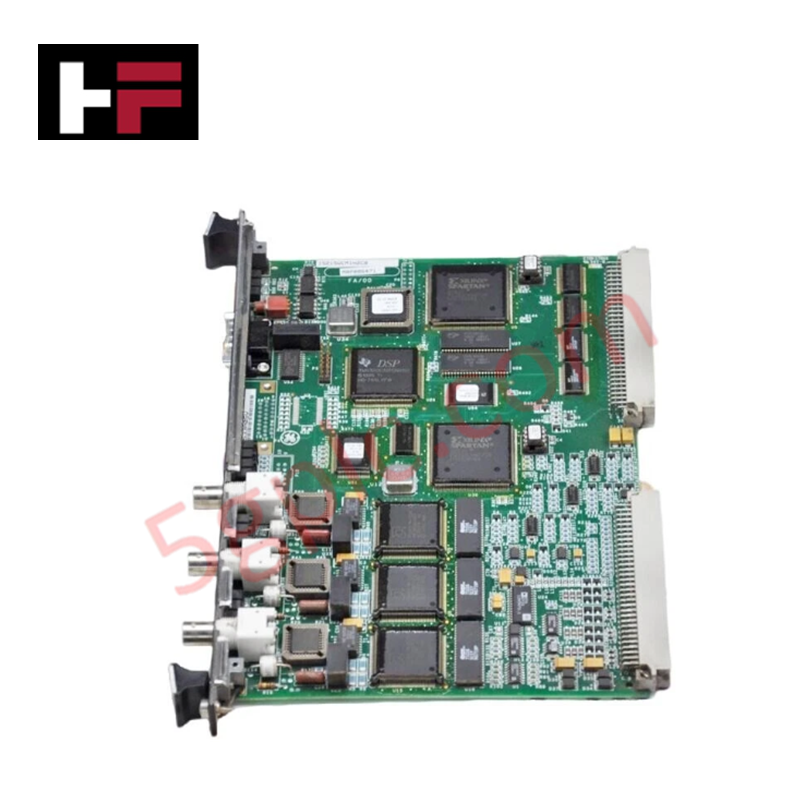
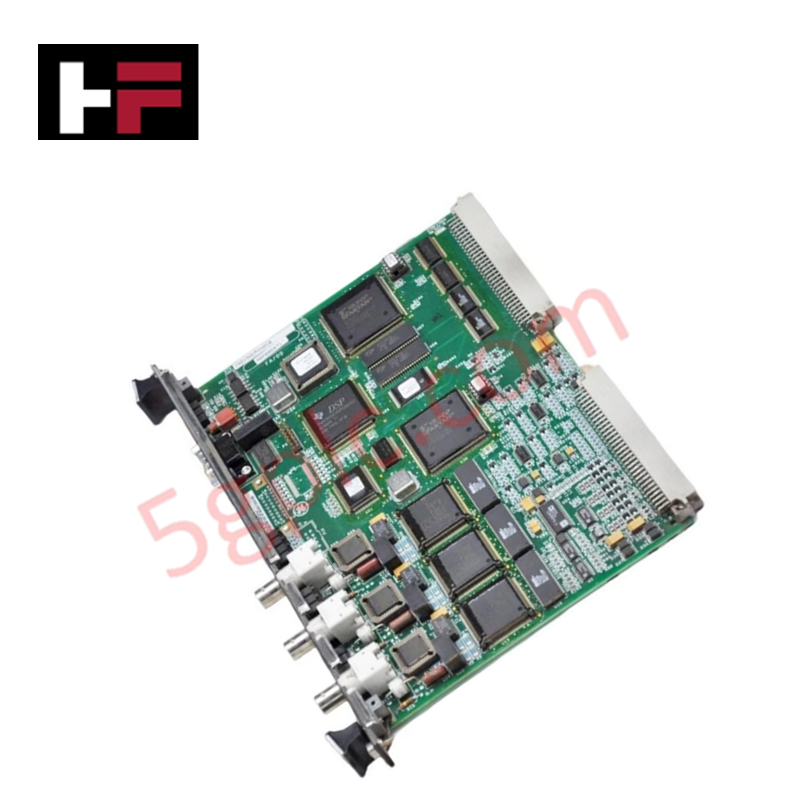
The GE IS215VCMIH2B, also cataloged as the IS215VCMIH2B VME Bus Master Controller, operates as a dedicated hardware component for inter-rack communication and IONet connectivity within Mark VI control platforms.
Suffix Breakdown & Model Matrix
The IS215VCMI module series is categorized by variant versioning defining hardware revision levels. The IS215VCMIH2B represents the H2 variant, indicating specific hardware logic and port configuration enhancements compared to the H1 base model.
Hardware Specifications
| Parameter | Specification |
|---|---|
| Model | IS215VCMIH2B |
| Brand | General Electric |
| Origin | USA |
| Weight | Standard VME card assembly |
| Dimensions | Mark VI standard VME form factor |
| Operating Temp | Industrial rated range |
| Power Consumption | System-bus dependent |
| Connectivity | 3 x IONet, 1 x Serial port |
| Bus Master | VME bus master capability |
Profinet / EtherNet/IP Deterministic Networks
The VCMI card maintains backplane bus communication velocity by serving as the VME bus master, effectively arbitrating communication IDs for all modules and associated terminal boards within the control rack. The card manages IONet deterministic network traffic, ensuring that time-critical digital and analog feedback is processed without latency. Firmware flash compatibility is governed by the system-level configuration, allowing the VCMI to synchronize with specific I/O pack requirements. I/O density scaling is managed through the controller’s backplane management, where the VCMI identifies and registers terminal board configurations via the J301 interface to maintain deterministic performance.
Frequently Asked Questions
Q: Does the IS215VCMIH2B support hot-swapping within the VME rack?
A: No. The VME rack must be de-energized prior to the removal or installation of the VCMI card to prevent backplane bus collisions or damage to the communication interface pins.
Q: What is the function of the "Run/Fail/Status" LED indicator and reset switch?
A: The indicators provide a real-time diagnostic health check of the VCMI module. The push-button reset switch performs a hard reboot of the controller board; this should only be utilized when the system is in a non-critical or maintenance state.
Field Installation Guidelines
- Mounting: Carefully insert the VCMI card into the designated VME slot, ensuring the board aligns with the backplane guide rails. Secure the faceplate to the rack frame using the provided screws to ensure structural stability and proper grounding.
- Connectivity: Connect the three IONet cables and the serial interface cable to the front-facing ports. Confirm all connections are secure and that the cable shielding is properly routed to minimize external noise.
- Verification: Observe the LED status indicators ("TX", "RX", "CD") upon power-up to confirm network activity. A "Run" status indicates successful initialization and VME bus master synchronization.
- Environment: Verify that the control rack cooling system is operational to maintain the card within the specified temperature limits. Avoid obstructing the faceplate LEDs to ensure diagnostic visibility.
- Configuration: Ensure the rack ID and board addressing are correctly defined within the system software before initiating communication with the remote I/O terminal boards.
Additional Information
- 100% Genuine Parts: All products are original and authentic, ensuring reliable industrial performance.
- 30-Day Refund Guarantee: Return any in-stock item within 30 days in original, unopened packaging for a full refund (excluding shipping and fees).
- 12-Month Warranty: Covers defects in materials or workmanship; excludes misuse, normal wear, or unauthorized modifications.
- Worldwide Shipping: We ship via USPS, UPS, FedEx, and DHL. Delivery times vary by country and may be subject to customs or import fees.
- Support & Contact: Technical and warranty assistance is available anytime. Contact us here: Contact.
- Purchase Guidance: Check product specifications and compatibility carefully before ordering to ensure proper application.



Tech & Buying Guide

Demystifying CPU Communication Ports in Siemens PLC Architectures
Industrial automation relies heavily on robust data exchange between devices. Without seamless connectivity, field instruments, network switches, human-machine interfaces, and programmable logic controllers cannot coordinate effectively. Therefore, understanding the various CPU communication ports available in Siemens hardware ensures efficient factory automation design and seamless system integration.

Mastering the Siemens PLC Scan Cycle: How the CPU Executes Automation Programs
Industrial automation relies heavily on programmable logic controllers (PLCs) to manage complex manufacturing processes. Many engineers dive straight into programming without mastering the underlying architecture. However, understanding how a PLC CPU executes a program ensures reliable system design. Therefore, mastering the scan cycle optimizes both performance and troubleshooting in modern control systems.

How to Connect to Siemens S7 PLCs: 5 Essential Communication Methods
Establishing a reliable hardware link between a programming terminal and a Siemens SIMATIC controller is essential for engineering workflows. Field engineers rely on distinct physical layers, ranging from legacy serial connections to high-speed Industrial Ethernet protocols. Modern factory automation environments prioritize fast data transfer and seamless driver integration. Selecting the correct connection method simplifies program downloads, online monitoring, and system troubleshooting in complex control systems.