










Product Details
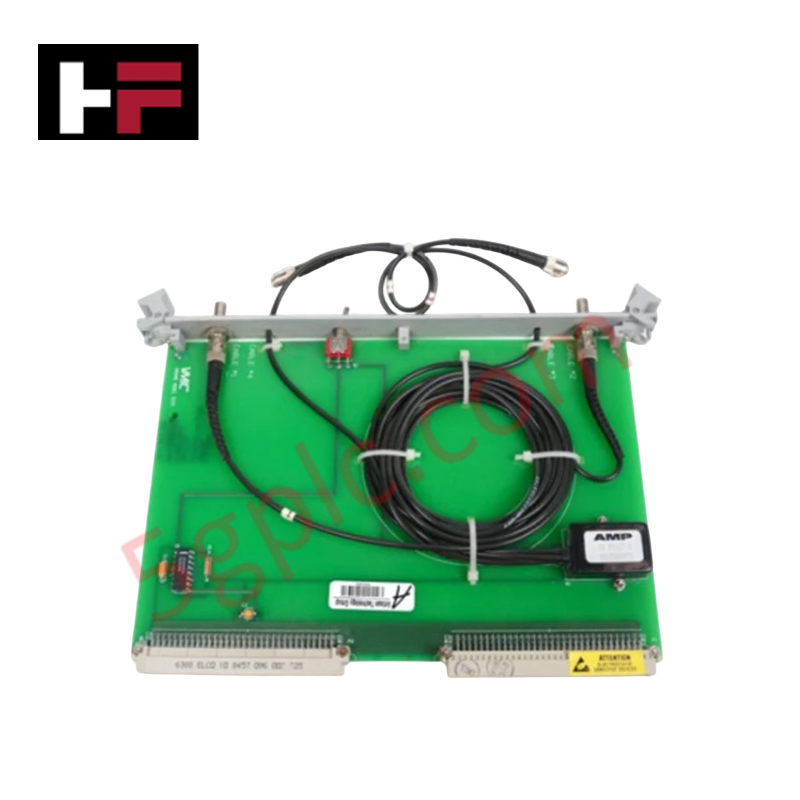
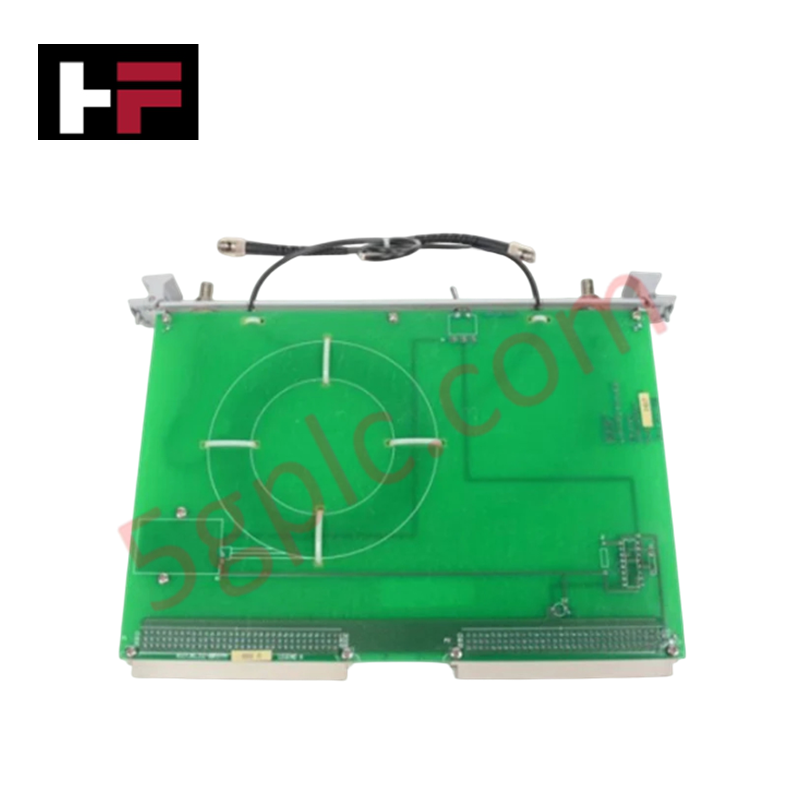
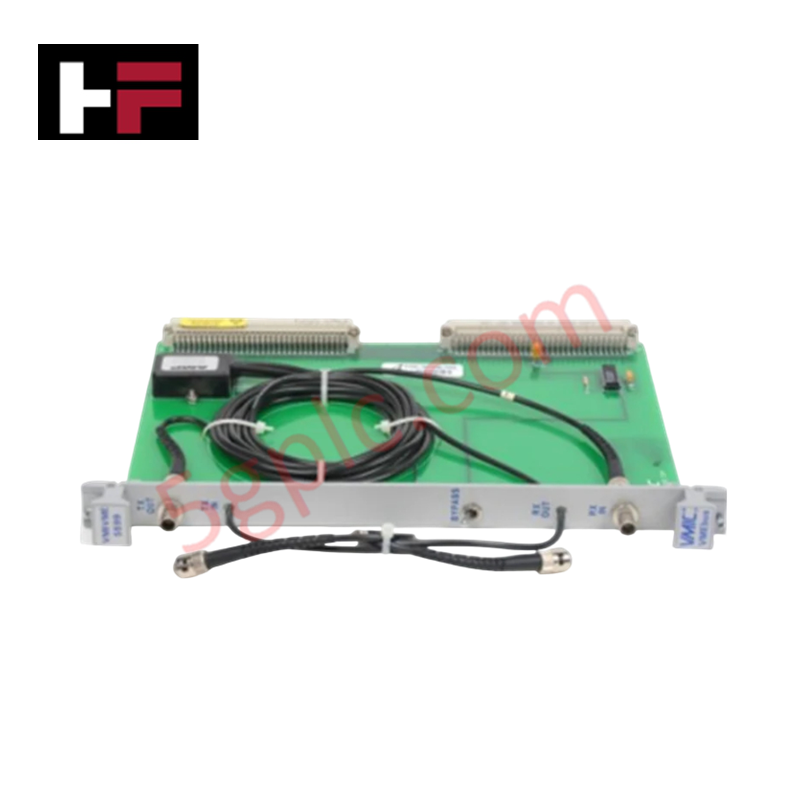
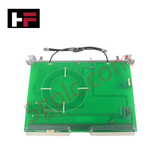
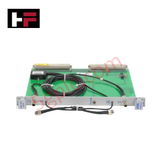
The GE VMIVME5599 332-005599-000 serves as the primary VMIVME5599 Automatic Fiber-Optic Bypass Switch utilized to execute optical circuit restoration across VMIVME series network platforms.
Hardware Specifications
| Parameter | Specification |
|---|---|
| Model | VMIVME5599 332-005599-000 |
| Brand | GE Fanuc / GE Automation |
| Origin | United States |
| Weight | Standard VME Module Weight |
| Dimensions | Single-Slot VMEbus Form Factor |
| Operating Temp | 0 - 60 deg C |
| Power Consumption | Backplane Rails Dependent |
| Network Function | Automatic optical node bypass upon power failure |
| Compatibility | VMIVME-5576 and VMIVME-5588 modules |
| Override Methods | Front panel manual switch or remote P2 connector control pin |
| Physical Interface | VMEbus backplane connector and front panel optical ports |
Profinet / EtherNet/IP Deterministic Networks and Optical Loop Switching
While typical high-availability architectures rely on Profinet / EtherNet/IP deterministic networks to handle logical node exclusion, this hardware provides physical-layer optical redirection. The device interfaces directly with the host VMIVME-5576 or VMIVME-5588 memory boards to monitor target power status. If a fault is identified, internal optomechanical switches bypass the local node within the fiber ring, routing signals around the unpowered board without introducing data packet degradation or processor timing drift.
Frequently Asked Questions
Q: Does the VMIVME5599 support hot-swapping or live insertion on the VME backplane?
A: No. The parallel interface pins on this unit are not designed for hot-swap operations. Inserting the card while the backplane power rail is live will induce transient voltage spikes, which can disrupt adjacent VMIVME-5576 or VMIVME-5588 communication nodes.
Q: How is the physical bypass mechanism triggered if remote automation override is required?
A: Remote command execution is managed via a dedicated control pin located on the P2 backplane connector. Grounding or driving this pin according to specification forces the optomechanical relays to shift into bypass configuration independent of local node power status.
Field Installation Guidelines
- Slot Configuration Constraints: Install the module in the identical VMEbus backplane segment directly adjacent to the associated VMIVME-5576 or VMIVME-5588 reflective memory card to minimize optical jumper loss.
- Optical Terminal Maintenance: Ensure all fiber optic connectors are cleaned using specialized lint-free swabs before insertion. Match the optical transceiver wavelength parameters to avoid signal attenuation through the bypass switches.
- Manual Override Orientation: Verify that the front panel toggle switch remains in the automated position during normal operations, allowing the remote P2 control logic to dictate system state changes.
Additional Information
- 100% Genuine Parts: All products are original and authentic, ensuring reliable industrial performance.
- 30-Day Refund Guarantee: Return any in-stock item within 30 days in original, unopened packaging for a full refund (excluding shipping and fees).
- 12-Month Warranty: Covers defects in materials or workmanship; excludes misuse, normal wear, or unauthorized modifications.
- Worldwide Shipping: We ship via USPS, UPS, FedEx, and DHL. Delivery times vary by country and may be subject to customs or import fees.
- Support & Contact: Technical and warranty assistance is available anytime. Contact us here: Contact.
- Purchase Guidance: Check product specifications and compatibility carefully before ordering to ensure proper application.


Tech & Buying Guide

Demystifying the DDE Protocol in Legacy Industrial Automation Systems
Modern control systems rely heavily on seamless interprocess communication to exchange operational data between software programs. Microsoft first introduced the Dynamic Data Exchange (DDE) protocol in 1987 to enable real-time data sharing. In factory automation, DDE served as an early bridge between control software and Windows desktop applications. Therefore, understanding DDE mechanics provides crucial insights into how legacy industrial networks established software-level connectivity.

Demystifying CPU Communication Ports in Siemens PLC Architectures
Industrial automation relies heavily on robust data exchange between devices. Without seamless connectivity, field instruments, network switches, human-machine interfaces, and programmable logic controllers cannot coordinate effectively. Therefore, understanding the various CPU communication ports available in Siemens hardware ensures efficient factory automation design and seamless system integration.

Mastering the Siemens PLC Scan Cycle: How the CPU Executes Automation Programs
Industrial automation relies heavily on programmable logic controllers (PLCs) to manage complex manufacturing processes. Many engineers dive straight into programming without mastering the underlying architecture. However, understanding how a PLC CPU executes a program ensures reliable system design. Therefore, mastering the scan cycle optimizes both performance and troubleshooting in modern control systems.