




Detalles del producto
Descripción del Producto
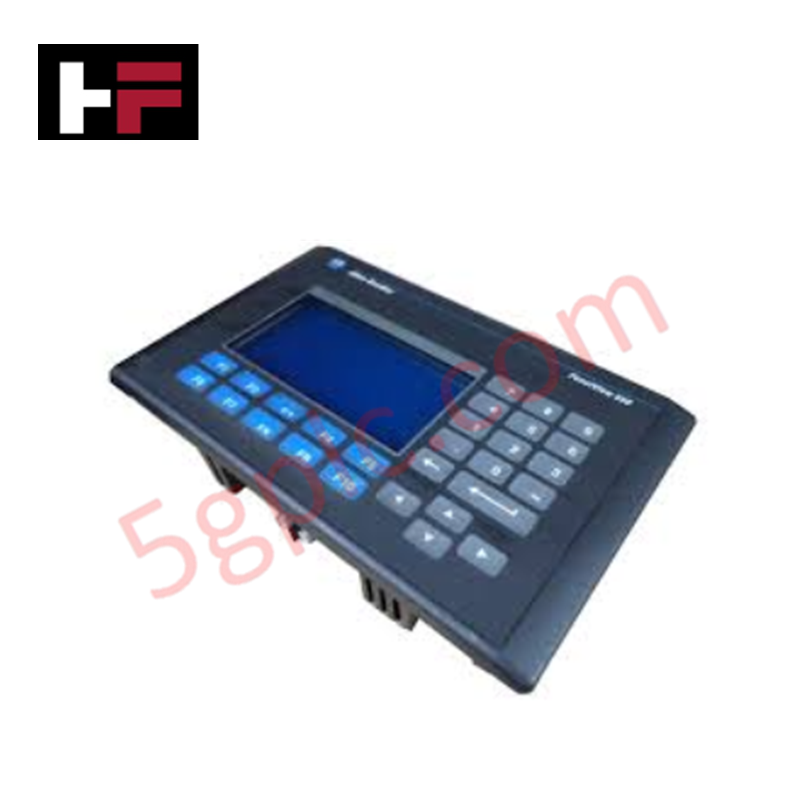
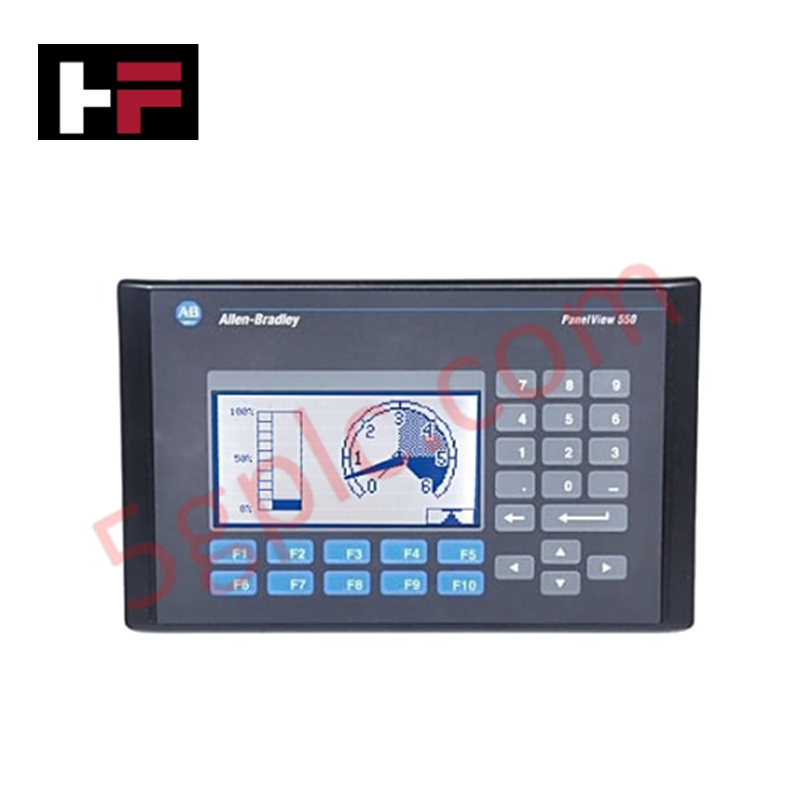
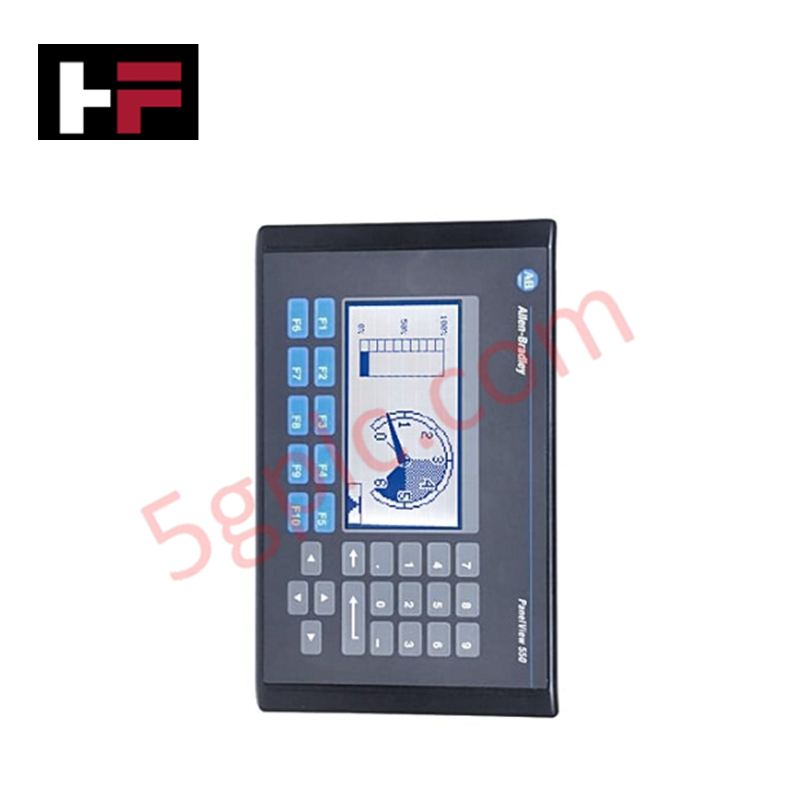
El Allen Bradley 2711-K5A10 funciona como una Interfaz Hombre-Máquina (HMI) de alta integridad dentro de la serie PanelView 550 Standard. Proporciona una solución de control táctil para entornos industriales, utilizando un teclado abovedado de acero inoxidable y una pantalla LCD monocromática azul de alto contraste. Este terminal facilita la integración sin problemas en redes DeviceNet, permitiendo a los operadores monitorear y controlar datos a nivel de máquina sin una programación compleja. Suministramos esta unidad como 100% Nueva y Original de Fábrica, ofreciendo un reemplazo vital para sistemas obsoletos y evitando costosas migraciones completas de panel.
Especificaciones Técnicas
El 2711-K5A10 ofrece un rendimiento confiable mediante hardware industrial especializado:
| Característica | Especificación |
| Entrada del Operador | Teclado Táctil (10 Teclas de Función, F1–F10) |
| Tipo de Pantalla | LCD Monocromática Modo Azul |
| Tamaño de Pantalla | 5.5 pulgadas (120 x 60 mm área de visualización) |
| Resolución | 256 x 128 píxeles |
| Comunicación | Puerto DeviceNet; RS-232 (Puerto de Impresora) |
| Voltaje de Entrada | 85–264V CA (Entrada CA Universal) |
| Memoria | 170 KB Tiempo de Ejecución de Aplicación; 240 KB No Volátil |
| Vida de la Retroiluminación | Retroiluminación LED de 100,000 horas |
| Clasificación del Enclosure | NEMA 4X, 12, 13; IP54, IP65 |
| Peso | 3.31 lbs (1.50 kg) |
Ventajas de Ingeniería
-
Retroalimentación Táctil para Entornos Duras: El teclado mecánico proporciona una retroalimentación táctil definitiva, asegurando una entrada precisa de comandos incluso cuando los operadores usan guantes industriales pesados. Esto elimina los "toques fantasma" que a menudo se asocian con pantallas capacitivas en ambientes de alta vibración o ruido eléctrico.
-
Integración Nativa DeviceNet: El puerto DeviceNet integrado soporta tecnología de comunicación productor/consumidor. Esto permite un intercambio de datos de alta velocidad con escáneres y otros nodos en la red, reduciendo la complejidad del cableado en comparación con el cableado tradicional punto a punto.
-
Sellado de Grado Industrial: El terminal cumple con los estándares NEMA 4X (interior) e IP65 cuando está montado correctamente. Este nivel de protección previene la entrada de polvo, aceite y salpicaduras de agua, haciéndolo ideal para procesamiento de alimentos, aguas residuales o aplicaciones de manufactura pesada.
-
Visibilidad Extendida: La pantalla LCD monocromática azul cuenta con una retroiluminación LED de 100,000 horas. Esta iluminación de alta longevidad asegura un contraste y legibilidad consistentes durante más de una década de operación continua 24/7, reduciendo drásticamente las intervenciones de mantenimiento.
-
Compatibilidad Universal con Alimentación CA: El rango de alimentación de 85–264V CA se adapta a estándares eléctricos globales. Esta versatilidad permite a los ingenieros estandarizar un solo modelo de HMI en instalaciones internacionales sin requerir transformadores de potencia localizados.
Preguntas Frecuentes
-
¿Esta unidad 2711-K5A10 es 100% Nueva?
Sí. Garantizamos que esta unidad es 100% Nueva y se envía en su embalaje original sellado de fábrica de Allen Bradley. Dado que este modelo está oficialmente descontinuado, nuestro stock nuevo de fábrica ofrece la vía más confiable para la restauración crítica del sistema.
-
¿Puedo reemplazar un PanelView 550 con pantalla táctil por esta versión con teclado?
Puede hacerlo, siempre que su aplicación PanelBuilder32 soporte navegación por teclado. La "K" en el número de parte indica Teclado, mientras que la "T" indica Pantalla Táctil. Los recortes físicos del panel permanecen iguales para la mayoría de los modelos PanelView 550, pero debe verificar la configuración del software para las asignaciones de teclas de función.
-
¿Qué software necesito para programar el 2711-K5A10?
Debe usar el software PanelBuilder32 . Puede descargar la aplicación a través del puerto de impresora RS-232 usando un cable 2711-NC13 o directamente por la red DeviceNet si su PC tiene una tarjeta de interfaz compatible.
-
¿Cómo ayudan los indicadores de estado en la solución de problemas?
La unidad cuenta con dos LEDs en la parte trasera. Una luz verde fija COMM indica comunicación activa en la red, mientras que una luz roja FAULT señala errores internos de hardware o problemas de firmware. Esto permite una evaluación diagnóstica rápida sin abrir el gabinete de control.
Información adicional
- 100% Piezas Originales: Todos los productos son originales y auténticos, garantizando un rendimiento industrial confiable.
- Garantía de Reembolso de 30 Días: Devuelva cualquier artículo en stock dentro de los 30 días en su embalaje original y sin abrir para un reembolso completo (excluyendo envío y tarifas).
- Garantía de 12 Meses: Cubre defectos en materiales o mano de obra; excluye mal uso, desgaste normal o modificaciones no autorizadas.
- Envío Mundial: Enviamos vía USPS, UPS, FedEx y DHL. Los tiempos de entrega varían según el país y pueden estar sujetos a aduanas o tarifas de importación.
- Soporte y Contacto: Asistencia técnica y de garantía disponible en cualquier momento. Contáctenos aquí: Contacto.
- Guía de Compra: Verifique cuidadosamente las especificaciones y compatibilidad del producto antes de ordenar para asegurar la aplicación correcta.
Guía de Tecnología y Compras

Comprendiendo los tipos de ruido en circuitos electrónicos y sistemas de control
La integridad de la señal determina directamente la precisión de la medición y la estabilidad del lazo en entornos de automatización industrial. El ruido electrónico introduce interferencias estocásticas no deseadas en los lazos analógicos, las líneas de retroalimentación de sensores y las redes digitales de campo. Comprender cómo se manifiestan el ruido electrónico intrínseco y la interferencia electromagnética externa permite a los ingenieros de control optimizar el acondicionamiento de la señal y proteger eficazmente los instrumentos sensibles.
Por qué las fuentes de alimentación de 24V DC estandarizan la automatización industrial moderna
Los armarios de control industrial en todo el mundo dependen de 24V CC como el estándar universal de alimentación para instrumentación de campo, sensores y controladores. Entra en cualquier planta de fabricación y encontrarás PLCs, interfaces hombre-máquina (HMI) y actuadores inteligentes funcionando con corriente continua de muy bajo voltaje. Estandarizar en 24V CC mejora la seguridad operativa, reduce el espacio del armario y mantiene un rendimiento de control constante en las redes de la fábrica.

Comandos Esenciales de Control de Movimiento: Una Guía Práctica para Ingenieros
Los ingenieros de automatización a menudo dependen del control preciso de posición y velocidad para manejar la maquinaria moderna de las fábricas. Los sistemas industriales modernos, como los Controladores Lógicos Programables (PLC) y los Sistemas de Control Distribuido (DCS), dependen en gran medida de instrucciones de movimiento estandarizadas. Dominar estos comandos garantiza la seguridad operativa, protege los componentes mecánicos y optimiza los tiempos de ciclo en las líneas de producción.