








Product Details
Product Overview
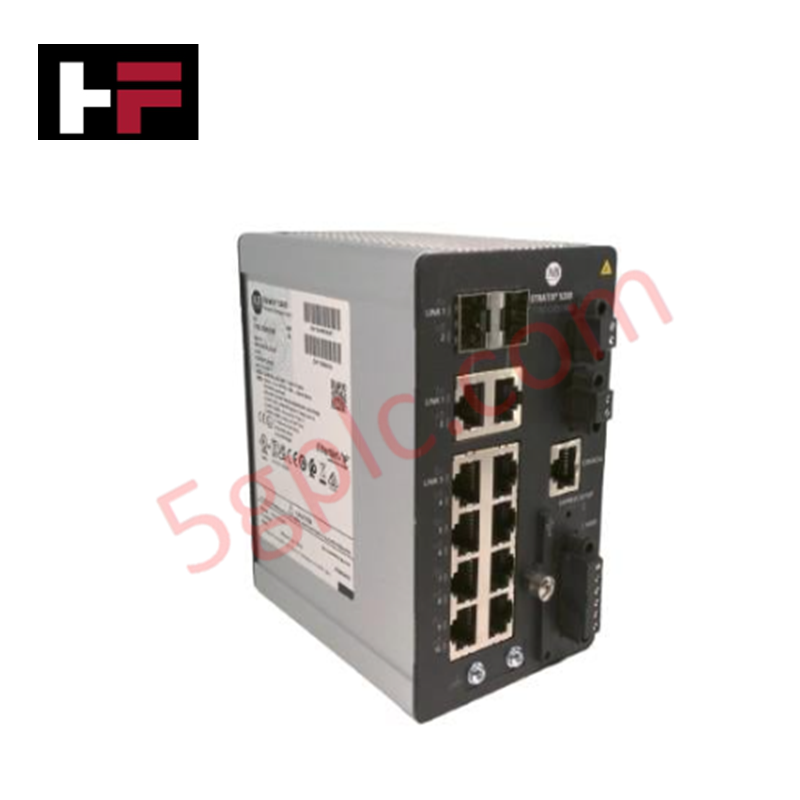
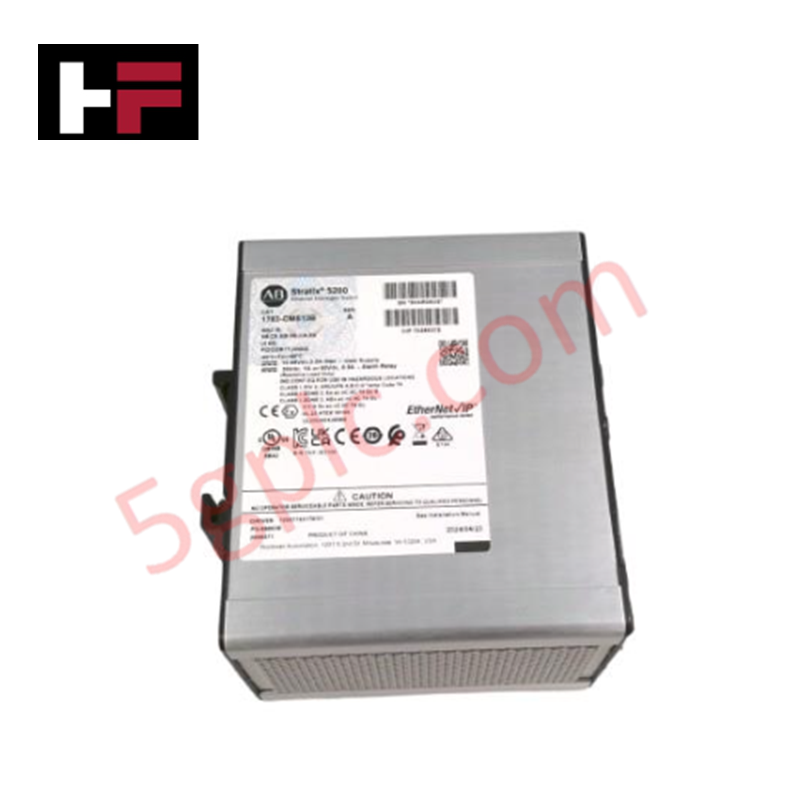
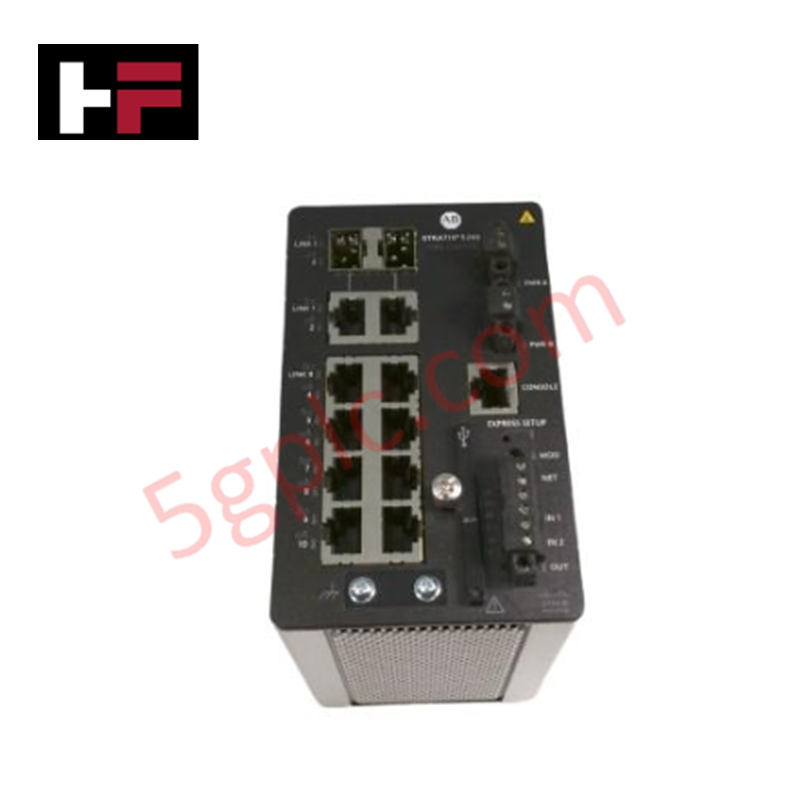
The Allen-Bradley 1783-CMS10B operates as a high-efficiency, managed layer 2 industrial Ethernet switch within the Stratix 5200 automation networking family. This hardware module segments cell-level machine networks, manages real-time EtherNet/IP multicast traffic, and links local programmable logic controllers (PLCs) with plant-wide supervisory control architectures.
(Note: While some legacy warehouse databases erroneously misclassify this industrial switch item under computer hard drives, this component functions strictly as a ruggedized industrial network switch). We distribute this communication asset exclusively as a 100% brand new, original factory-sealed unit, guaranteeing untouched internal non-volatile memory chips, unblemished RJ45 gold contacts, and original factory-embedded base firmware.
Technical Specifications
The table below logs the port capacities, interface layouts, and core engineering parameters of the 1783-CMS10B hardware assembly:
| Parameter | Performance & Industrial Network Rating |
| Manufacturer | Allen-Bradley / Rockwell Automation |
| Part Number | 1783-CMS10B |
| Product Platform | Stratix 5200 Series |
| Switch Category | Managed Layer 2 Industrial Ethernet Switch |
| Total Port Capacity | 10 Ports |
| Standard Copper Interfaces | 8 x 10/100 Mbps Fast Ethernet RJ45 Ports |
| Uplink Combo Interfaces | 2 x Combo (10/100/1000 Mbps RJ45 or Gigabit SFP Slots) |
| Firmware Profile | Factory Loaded Base Firmware Features |
| Mounting Configuration | Integrated DIN Rail Mounting Hardware |
| Gross Shipping Weight | 3.00 lbs (1.36 kg) |
Engineering Advantages
-
Optimizes Data Traffic via Integrated Studio 5000 AOPs: The switch platform utilizes Add-On Profiles (AOPs) to integrate directly into Studio 5000 Logix Designer applications. This software architecture lets control engineers monitor switch port health, execute network diagnostics, and view diagnostic tags directly from the main PLC processor code without launching standalone IT network management packages.
-
Simplifies Network Scaling with Flexible Gigabit Combo Ports: Two built-in combo ports accept either standard copper RJ45 gigabit connections or small form-factor pluggable (SFP) fiber-optic modules. This interface versatility allows field technicians to convert a standard copper local connection into a long-distance fiber optic link instantly, bypassing the 100-meter electrical cable limits.
-
Deflects Severe Magnetic Distortion inside High-Voltage Panels: A heavy, industrially shielded metal enclosure covers the internal switching components. This structural skin blocks high-frequency electromagnetic interference (EMI) generated by surrounding variable frequency drives (VFDs) and heavy-duty motor control contactors, preventing data packet drops and communication retry bottlenecks.
FAQs
-
What specific functions does the "Base Firmware" configuration support on this model?
The factory-loaded base firmware provides essential Layer 2 management features required for secure industrial automation networks. This setup executes Internet Group Management Protocol (IGMP) snooping to control EtherNet/IP multicast traffic, enforces Virtual Local Area Network (VLAN) segregation to divide plant floor data, and utilizes Simple Network Management Protocol (SNMP) for remote device polling.
-
How do the two Gigabit Combo ports operate during a live network connection?
The combo ports link internally as shared network paths. If a technician inserts an active fiber-optic SFP transceiver into Combo Port 9, the internal switch matrix disables the adjacent copper RJ45 Port 9 connection instantly. You can operate either the two copper ports or the two SFP slots, but you cannot use all four physical interfaces simultaneously.
-
What orientation guidelines prevent heat damage to this switch inside small enclosures?
Technicians must mount the switch horizontally onto a grounded 35mm DIN rail with the front ports facing outward. To ensure sufficient convection air cooling through the enclosure vents under full 10-port processing loads, maintain at least two inches of open airspace clearance above, below, and on both sides of the switch housing.
Additional Information
- 100% Genuine Parts: All products are original and authentic, ensuring reliable industrial performance.
- 30-Day Refund Guarantee: Return any in-stock item within 30 days in original, unopened packaging for a full refund (excluding shipping and fees).
- 12-Month Warranty: Covers defects in materials or workmanship; excludes misuse, normal wear, or unauthorized modifications.
- Worldwide Shipping: We ship via USPS, UPS, FedEx, and DHL. Delivery times vary by country and may be subject to customs or import fees.
- Support & Contact: Technical and warranty assistance is available anytime. Contact us here: Contact.
- Purchase Guidance: Check product specifications and compatibility carefully before ordering to ensure proper application.
Tech & Buying Guide

Site Acceptance Testing (SAT) for PLC Control Systems: An Engineering Execution Guide
The Site Acceptance Test (SAT) represents the definitive handover stage in industrial automation projects. While the Factory Acceptance Test confirms cabinet hardware assembly off-site, the SAT validates real-world performance under live site conditions. Consequently, a structured execution strategy prevents equipment damage and guarantees seamless integration into plant operations.

Mastering the Factory Acceptance Test (FAT) for PLC Control Panels: An Expert Guide
The Factory Acceptance Test (FAT) is a vital milestone in industrial automation that ensures custom PLC panels meet exact design specifications before dispatch. This guide outlines the step-by-step FAT procedure and key industry best practices to prevent costly site delays and ensure long-term operational success.
Redundant Automation Systems: Ensuring Continuous Uptime in Critical Control Infrastructure
System reliability directly determines operational profitability across high stakes process industries. Modern industrial automation platforms must eliminate single points of failure to prevent catastrophic shutdowns. Deploying fault tolerant architecture safeguards complex facilities against unexpected hardware glitches, network disruptions, and maintenance outages.