










Product Details
Product Overview
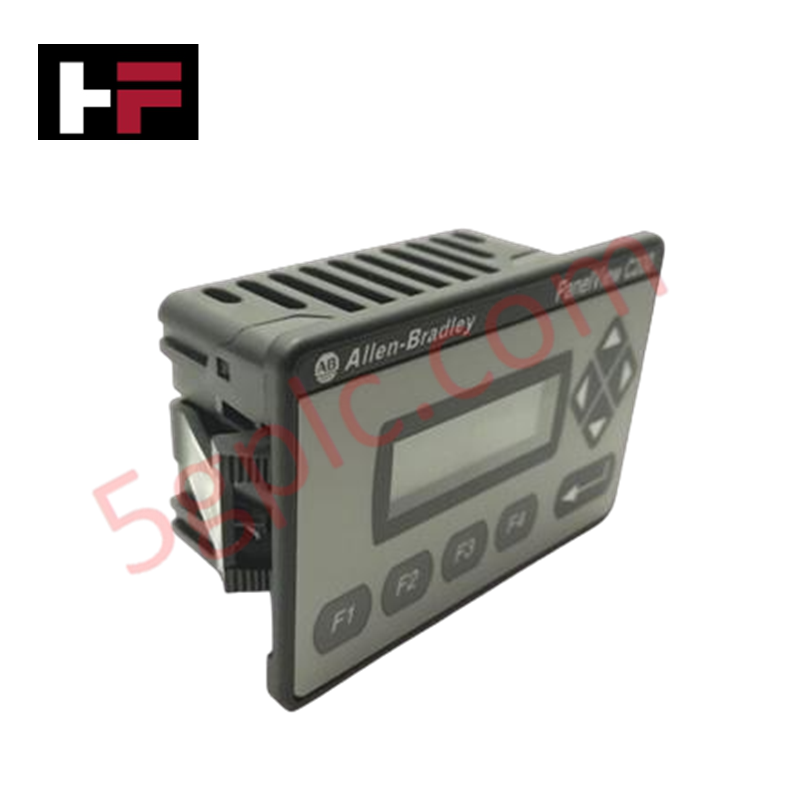
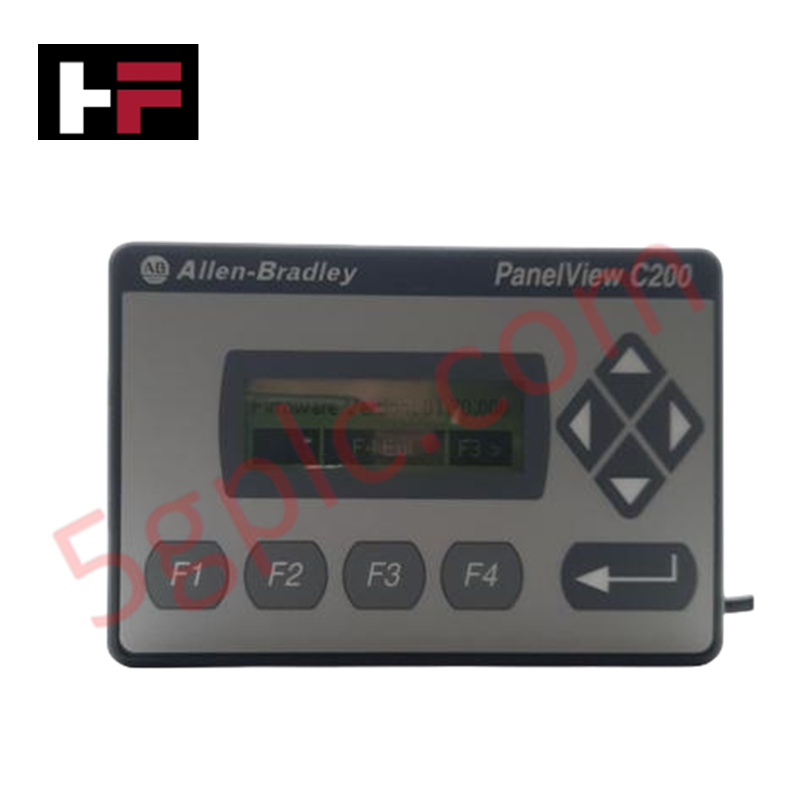
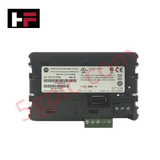
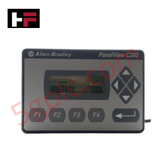
The Allen-Bradley 2711C-F2M belongs to the PanelView Component C200 series, specifically designed for small-scale applications requiring a compact and cost-effective Human Machine Interface (HMI). This 2-inch monochrome terminal features a transflective FSTN display, ensuring readability under various lighting conditions. It utilizes a tactile keypad for operator input and supports multi-vendor communication protocols, including Modbus and Siemens MPI. We supply this unit as 100% Brand New and Original, providing a pristine replacement for legacy systems despite its official discontinued status.
Technical Specifications
| Feature | Specification Details |
| Display Size | 2-inch (Diagonal) |
| Display Type | Monochrome Transflective FSTN Passive Matrix |
| Resolution | 122 x 32 Pixels |
| Input Type | Keypad (4 Function Keys + Navigation/Enter) |
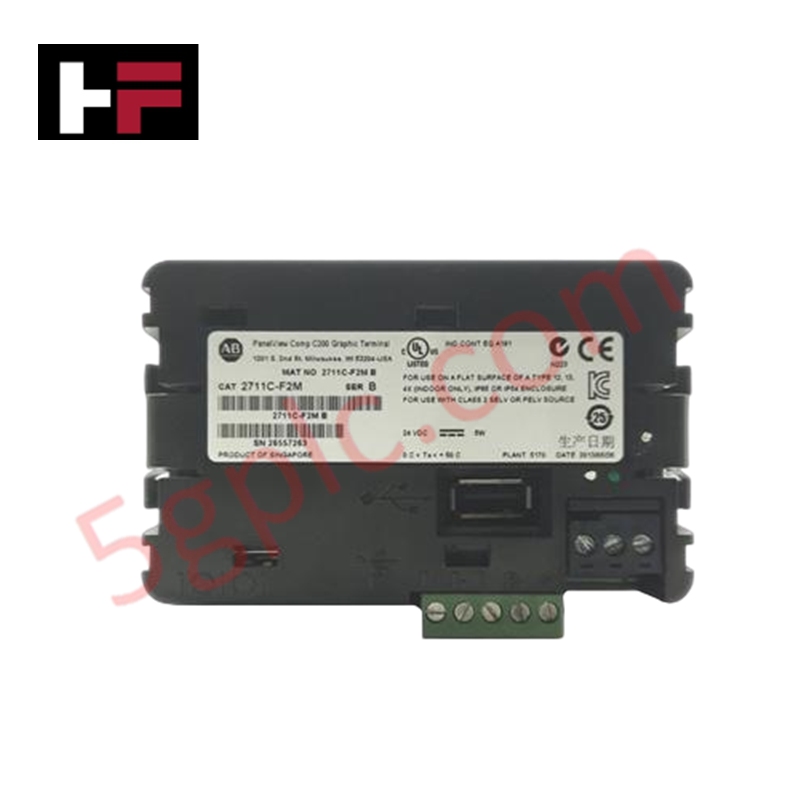
| Input Voltage | 18–30V DC (24V DC Nominal) |
| Power Consumption | 5 Watts |
| Communication Ports | RS-232 (DH-485/DF1), RS-485, USB Port |
| Multi-Vendor Support | Modbus, Siemens MPI |
| Backlight Life | 50,000 Hours (Minimum) |
| Weight | 0.38 lbs (0.17 kg) |
Engineering Advantages
-
Integrated Browser-Based Configuration: The 2711C-F2M eliminates the need for standalone software installations. Engineers configure the terminal directly through a web browser (such as Internet Explorer or Firefox), which streamlines the commissioning process and simplifies remote maintenance.
-
Compact Footprint for Narrow Spaces: With a weight of only 0.38 lbs and a 2-inch screen, this terminal fits into extremely tight control panels where larger HMIs cannot reside. It solves the challenge of adding basic operator control to small machinery or localized process segments.
-
Broad Protocol Interoperability: Unlike many entry-level HMIs, the 2711C-F2M communicates with both Allen-Bradley controllers and third-party hardware. The onboard RS-232 and RS-485 ports support Modbus and Siemens MPI, allowing for seamless integration into mixed-vendor environments.
-
Tactile Keypad Reliability: The physical keypad (F1–F4 plus navigation keys) provides high tactile feedback. This ensures reliable operation in environments where touchscreen sensitivity might fail due to operator gloves, heavy grease, or moisture buildup on the display surface.
FAQs
Q: Can I program the 2711C-F2M using Connected Components Workbench (CCW)?
A: Yes. While the PanelView Component series features a built-in web-based design tool, you can also utilize CCW software to develop and manage your HMI applications, providing a consistent programming environment across the Micro800 and PanelView platforms.
Q: Is this 2711C-F2M unit a refurbished or "New Surplus" item?
A: No. We guarantee this unit is 100% Brand New and Original. It ships in the original Allen-Bradley factory packaging with seals intact. This is critical for the C200 series because the 50,000-hour backlight is not replaceable; a brand-new unit ensures you receive the full operational lifespan.
Q: How does the "Transflective" display help in high-glare environments?
A: The transflective FSTN technology uses both a backlight and ambient light reflection. In bright environments, the screen reflects sunlight to enhance contrast, effectively solving the problem of "washed-out" displays common in standard indoor-only HMI terminals.
Q: What is the primary purpose of the USB port on this terminal?
A: The USB port facilitates rapid firmware updates and application transfers. You can use a standard USB flash drive to load or backup HMI project files, which avoids the need for a direct PC connection in the field during maintenance cycles.
Additional Information
- 100% Genuine Parts: All products are original and authentic, ensuring reliable industrial performance.
- 30-Day Refund Guarantee: Return any in-stock item within 30 days in original, unopened packaging for a full refund (excluding shipping and fees).
- 12-Month Warranty: Covers defects in materials or workmanship; excludes misuse, normal wear, or unauthorized modifications.
- Worldwide Shipping: We ship via USPS, UPS, FedEx, and DHL. Delivery times vary by country and may be subject to customs or import fees.
- Support & Contact: Technical and warranty assistance is available anytime. Contact us here: Contact.
- Purchase Guidance: Check product specifications and compatibility carefully before ordering to ensure proper application.
Tech & Buying Guide

Optimizing Tank Level Control Using Proportional Algorithms in PLC Systems
Industrial automation engineers frequently encounter liquid level regulation challenges across diverse process plants. Traditional ON-OFF control mechanisms often disrupt system stability due to abrupt actuator switching. Therefore, upgrading to closed-loop architectures like proportional control yields smoother responses. In a typical PLC environment, such as Siemens TIA Portal, engineers utilize closed-loop feedback to minimize process errors without requiring full PID complexity.

Understanding Why Your PLC Enters Stop Mode: Causes and Troubleshooting
In industrial automation, programmable logic controllers (PLCs) serve as the core intelligence of modern factory automation and distributed control systems (DCS). Understanding how a PLC transitions between modes is vital for maintenance engineers. Typically, a PLC operates across four primary modes: Run, Stop, Start-Up, and Hold. When power is applied, the system immediately boots into Stop mode before initiating the Start-Up sequence. If the controller encounters a critical error during execution, it automatically reverts to Stop mode to prevent equipment damage. Therefore, monitoring these state transitions helps technicians maintain high system availability.

Comprehensive Guide to Servo Motor Drive Control Techniques in Industrial Automation
Precision motion control systems drive high-throughput manufacturing across modern industrial automation environments. Unlike standard induction motors running on basic variable frequency drives, servo motor systems deliver sub-millimeter positioning accuracy and fast dynamic response.