




Produktdetails
Produktübersicht
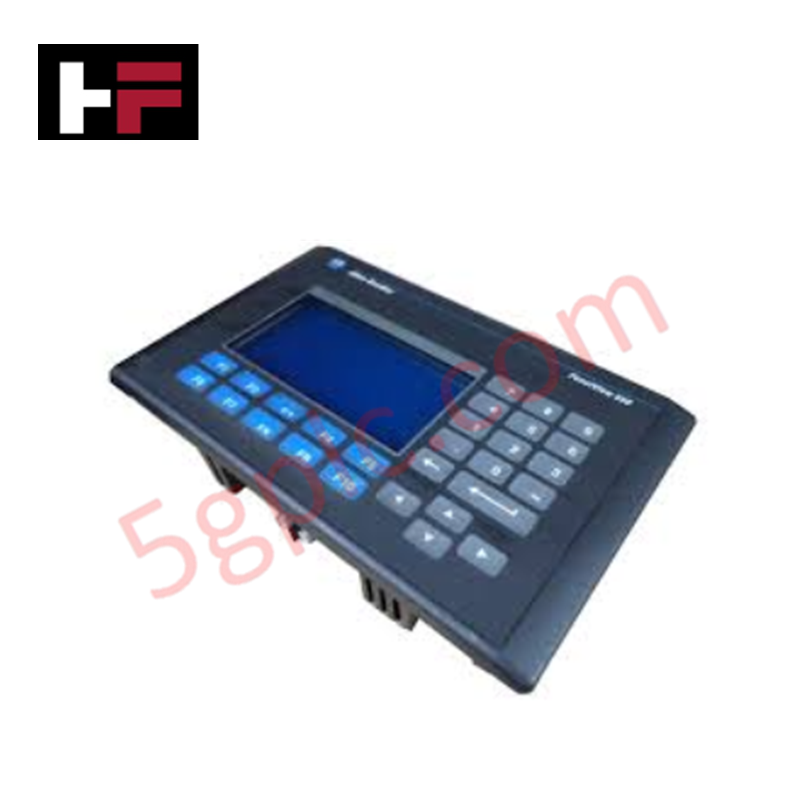
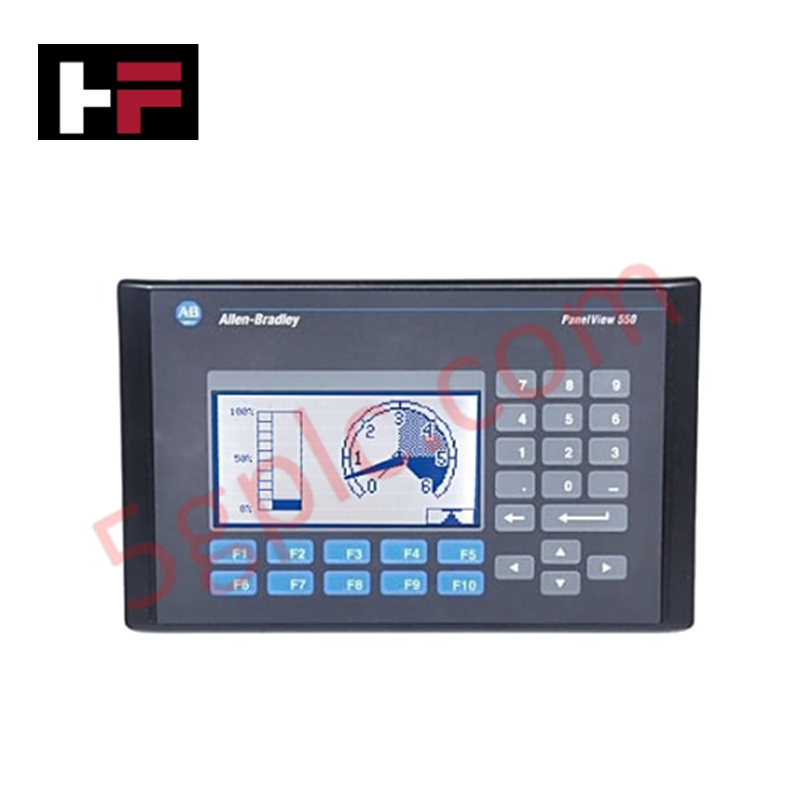
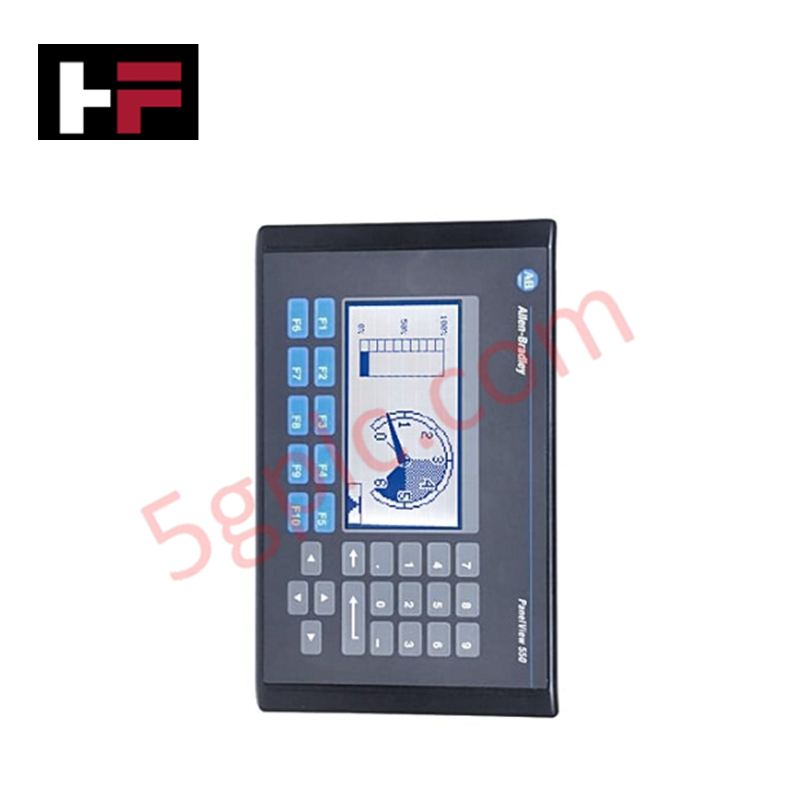
Das Allen Bradley 2711-K5A10 fungiert als hochzuverlässiges Human-Machine Interface (HMI) innerhalb der PanelView 550 Standardserie. Es bietet eine taktile Steuerungslösung für industrielle Umgebungen und verwendet eine Edelstahl-Kuppeltastatur sowie ein kontrastreiches blaues monochromes LCD. Dieses Terminal ermöglicht die nahtlose Integration in DeviceNet-Netzwerke, sodass Bediener Maschinendaten überwachen und steuern können, ohne komplexe Programmierung. Wir liefern dieses Gerät als 100% nagelneu und original vom Werk, was einen wichtigen Ersatz für veraltete Systeme darstellt, um kostspielige Komplettpanel-Migrationen zu vermeiden.
Technische Spezifikationen
Das 2711-K5A10 bietet zuverlässige Leistung durch spezialisierte Industriehardware:
| Merkmal | Spezifikation |
| Bedieneingabe | Taktiles Tastenfeld (10 Funktionstasten, F1–F10) |
| Displaytyp | Monochromes LCD im blauen Modus |
| Displaygröße | 5,5 Zoll (120 x 60 mm Anzeigefläche) |
| Auflösung | 256 x 128 Pixel |
| Kommunikation | DeviceNet-Anschluss; RS-232 (Druckeranschluss) |
| Eingangsspannung | 85–264V AC (Universal-AC-Eingang) |
| Speicher | 170 KB Anwendungs-Laufzeit; 240 KB nichtflüchtig |
| Hintergrundbeleuchtung Lebensdauer | 100.000 Stunden LED-Hintergrundbeleuchtung |
| Gehäuseschutz | NEMA 4X, 12, 13; IP54, IP65 |
| Gewicht | 3,31 lbs (1,50 kg) |
Technische Vorteile
-
Taktiles Feedback für raue Umgebungen: Die mechanische Tastatur bietet ein deutliches taktiles Feedback, das eine präzise Eingabe gewährleistet, selbst wenn Bediener schwere Industrieschutzhandschuhe tragen. Dies verhindert die „Geisterberührungen“, die bei kapazitiven Bildschirmen in Umgebungen mit hoher Vibration oder elektrischen Störungen häufig auftreten.
-
Native DeviceNet-Integration: Der integrierte DeviceNet-Anschluss unterstützt Producer/Consumer-Kommunikationstechnologie. Dies ermöglicht einen schnellen Datenaustausch mit Scannern und anderen Knoten im Netzwerk und reduziert die Verkabelungskomplexität im Vergleich zu herkömmlicher Punkt-zu-Punkt-Verkabelung.
-
Industriegeeichte Abdichtung: Das Terminal erfüllt die NEMA 4X (Innenbereich) und IP65 Standards bei korrekter Montage. Dieser Schutz verhindert das Eindringen von Staub, Öl und Spritzwasser, was es ideal für Lebensmittelverarbeitung, Abwasseranlagen oder schwere Fertigungsanwendungen macht.
-
Erweiterte Sichtbarkeit: Das blaue monochrome LCD verfügt über eine 100.000 Stunden LED-Hintergrundbeleuchtung. Diese langlebige Beleuchtung sorgt für konstanten Kontrast und Lesbarkeit über mehr als ein Jahrzehnt durchgehenden 24/7-Betriebs und reduziert Wartungsaufwände erheblich.
-
Universelle AC-Stromkompatibilität: Der Spannungsbereich von 85–264V AC deckt weltweite elektrische Standards ab. Diese Vielseitigkeit ermöglicht es Ingenieuren, ein einziges HMI-Modell in internationalen Anlagen zu standardisieren, ohne lokale Transformatoren zu benötigen.
FAQs
-
Ist dieses 2711-K5A10 Gerät 100% nagelneu?
Ja. Wir garantieren, dass dieses Gerät 100% nagelneu ist und in der original versiegelten Allen Bradley Verpackung geliefert wird. Da dieses Modell offiziell eingestellt ist, bietet unser fabrikneuer Lagerbestand den zuverlässigsten Weg zur Wiederherstellung kritischer Systeme.
-
Kann ich ein PanelView 550 mit Touchscreen durch diese Tastaturversion ersetzen?
Ja, sofern Ihre PanelBuilder32-Anwendung die Navigation über Tastatur unterstützt. Das „K“ in der Teilenummer steht für Keypad (Tastatur), während „T“ für Touchscreen steht. Die physischen Ausschnitte im Bedienfeld bleiben bei den meisten PanelView 550 Modellen gleich, jedoch müssen Sie die Softwarekonfiguration für die Funktionstastenbelegung überprüfen.
-
Welche Software benötige ich zur Programmierung des 2711-K5A10?
Sie müssen die PanelBuilder32 Software verwenden. Die Anwendung kann über den RS-232-Druckeranschluss mit einem 2711-NC13-Kabel oder direkt über das DeviceNet-Netzwerk heruntergeladen werden, wenn Ihr PC über eine kompatible Schnittstellenkarte verfügt.
-
Wie helfen die Statusanzeigen bei der Fehlersuche?
Das Gerät verfügt über zwei LEDs auf der Rückseite. Eine durchgehend grüne COMM Anzeige zeigt aktive Netzwerkkommunikation an, während eine rote FAULT Anzeige auf interne Hardwarefehler oder Firmwareprobleme hinweist. Dies ermöglicht eine schnelle Diagnose, ohne den Schaltschrank öffnen zu müssen.
Zusätzliche Informationen
- 100% Originalteile: Alle Produkte sind original und authentisch, was eine zuverlässige industrielle Leistung gewährleistet.
- 30-Tage Rückgabegarantie: Rückgabe aller vorrätigen Artikel innerhalb von 30 Tagen in der originalen, ungeöffneten Verpackung für eine volle Rückerstattung (ohne Versandkosten und Gebühren).
- 12 Monate Garantie: Deckt Material- oder Verarbeitungsfehler ab; schließt Missbrauch, normalen Verschleiß oder unautorisierte Änderungen aus.
- Weltweiter Versand: Wir versenden über USPS, UPS, FedEx und DHL. Die Lieferzeiten variieren je nach Land und können Zoll- oder Einfuhrgebühren unterliegen.
- Support & Kontakt: Technische und Garantieunterstützung ist jederzeit verfügbar. Kontaktieren Sie uns hier: Kontakt.
- Kaufberatung: Überprüfen Sie vor der Bestellung sorgfältig die Produktspezifikationen und Kompatibilität, um eine korrekte Anwendung sicherzustellen.
Technik- & Kaufberatung
Warum 24V-Gleichstromnetzteile die moderne industrielle Automatisierung standardisieren
Industriesteuerungsschränke weltweit verwenden 24V DC als universellen Stromstandard für Feldinstrumentierung, Sensoren und Steuerungen. Betreten Sie eine beliebige Produktionsanlage, finden Sie SPS, Mensch-Maschine-Schnittstellen (HMIs) und intelligente Aktoren, die mit Niederspannungs-Gleichstrom betrieben werden. Die Standardisierung auf 24V DC erhöht die Betriebssicherheit, reduziert den Platzbedarf im Schrank und sorgt für eine stabile Steuerungsleistung in Fabriknetzwerken.

Wesentliche Bewegungssteuerungsbefehle: Ein praktischer Leitfaden für Ingenieure
Automatisierungsingenieure verlassen sich häufig auf präzise Positions- und Geschwindigkeitssteuerung, um moderne Fabrikmaschinen anzutreiben. Moderne Industriesysteme wie speicherprogrammierbare Steuerungen (SPS) und verteilte Steuerungssysteme (DCS) sind stark auf standardisierte Bewegungsbefehle angewiesen. Die Beherrschung dieser Befehle gewährleistet Betriebssicherheit, schützt mechanische Komponenten und optimiert die Zykluszeiten in den Produktionslinien.
Beherrschung moderner Industrie-Joystick-Steuerungen in der Schwerautomation
Industrielle Joysticks spielen eine entscheidende Rolle in der Mensch-Maschine-Interaktion bei der Handhabung schwerer Materialien und mobilen Hydrauliksystemen. Diese taktilen Steuerungen wandeln komplexe Bewegungen des Bedieners in präzise elektrische Signale für SPS, Bewegungssteuerungen und DCS-Netzwerke um. Daher gewährleistet die Auswahl und Installation der richtigen Joystick-Architektur die Sicherheit des Bedieners, reduziert Ermüdung und optimiert die Leistung der Ausrüstung.