




Product Details
Product Overview
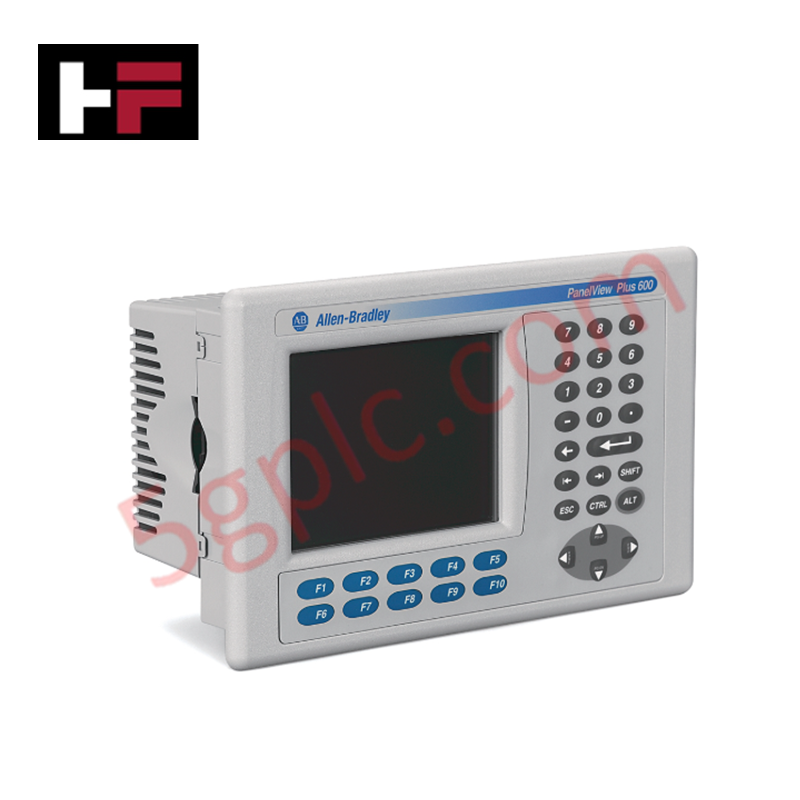
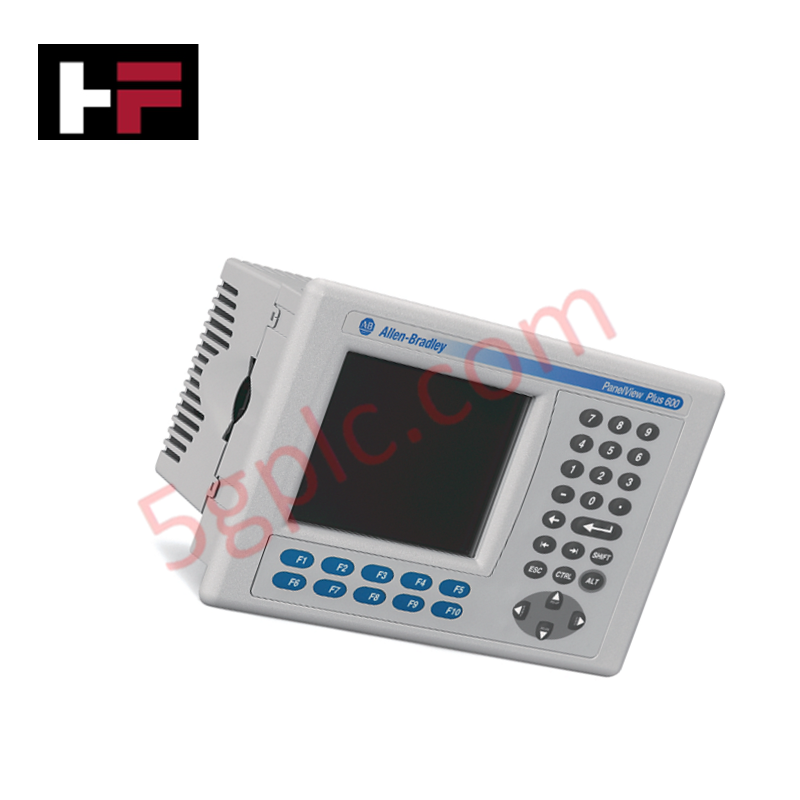
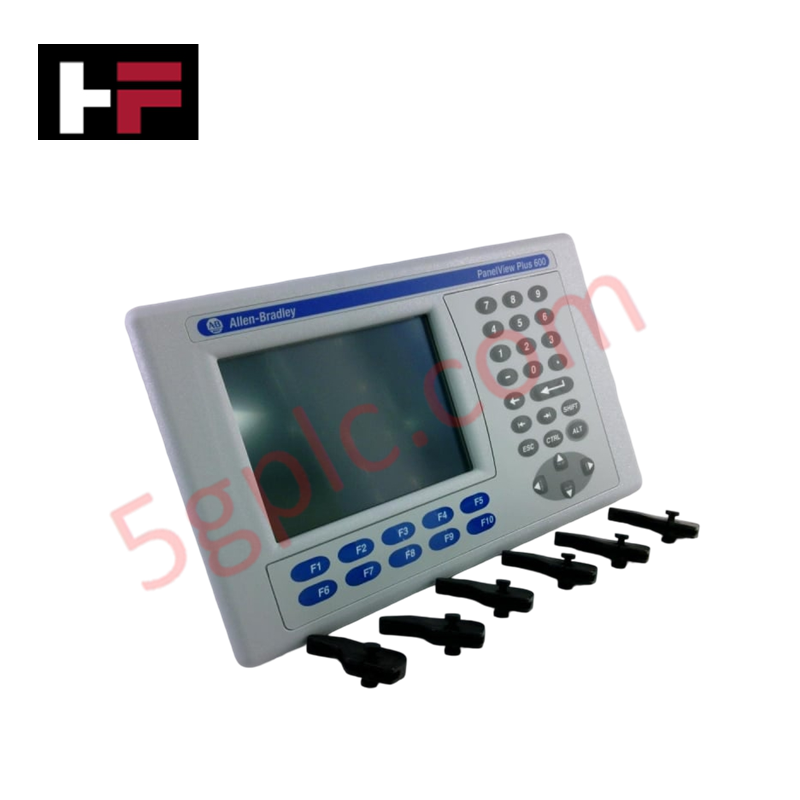
The Allen Bradley 2711P-K6C20D8 serves as a high-performance operator interface for the PanelView Plus 6 600 platform. This terminal utilizes a tactile keypad for precise machine control and a 5.7-inch color display for real-time process visualization. It excels in environments where operators require physical button feedback or wear heavy protective gear. We provide this unit as 100% Brand New original factory stock, ensuring full compatibility with modern FactoryTalk View ME applications and industrial Ethernet networks.
Technical Specifications
The 2711P-K6C20D8 integrates robust processing power with versatile communication options for seamless PLC integration.
| Feature | Specification |
| Manufacturer | Allen Bradley (Rockwell Automation) |
| Model | 2711P-K6C20D8 |
| Display Size | 5.7 inches |
| Display Color | Full Color TFT |
| Operator Input | Stainless-steel Membrane Keypad |
| Communication Ports | Ethernet (10/100 Mbps) and RS-232 |
| Input Power | 18–30V DC (24V DC Nominal) |
| Internal Memory | 256 MB RAM |
| Backlight | Long-life LED (Non-replaceable) |
| Weight | 1.94 lbs (0.88 kg) |
| Series | Series A and Series B Supported |
Engineering Advantages
-
Tactile Precision in Harsh Environments: Unlike touchscreen-only models, the 2711P-K6C20D8 features a rugged membrane keypad. This physical interface prevents accidental triggers from moisture, oil splashes, or debris on the screen surface. Operators receive definitive tactile feedback, which is critical for safety-sensitive manual adjustments.
-
Dual-Protocol Communication: The onboard Ethernet and RS-232 ports allow for simultaneous network connectivity and point-to-point serial communication. This flexibility enables the HMI to poll data from a primary ControlLogix controller over EtherNet/IP while maintaining a legacy link to a barcode scanner or printer via RS-232.
-
Optimized for Tight Enclosures: The compact 5.7-inch form factor and 1.94 lbs lightweight design permit installation in shallow control cabinets. The 24V DC power input aligns with standard industrial power rails, eliminating the need for bulky AC transformers inside the console.
-
Enhanced Data Handling: With 256 MB of RAM and the Plus 6 architecture, this terminal executes complex graphic screens and large alarm logs without latency. It processes high-speed data transitions efficiently, providing operators with instantaneous system status updates.
FAQs
-
Can I use the 2711P-K6C20D8 as a direct replacement for an older PanelView Plus 600?
Yes. This model serves as the upgraded "Plus 6" version. It offers faster processing and improved memory management compared to standard legacy units. Ensure your FactoryTalk View ME project matches the firmware version of the new hardware for a seamless transition.
-
What is the recommended communication cable for the RS-232 port?
Use the 2711-NC13 communication cable for reliable serial data transfer. This cable provides the necessary shielding to protect signal integrity against electromagnetic interference (EMI) typically found near variable frequency drives (VFDs) and high-power motors.
-
Does this unit support external storage for data logging?
The 2711P-K6C20D8 includes USB ports that support standard flash drives. This allows you to export CSV-formatted data logs, trend information, and alarm histories for external analysis or regulatory compliance reporting.
-
How do I ensure the unit remains waterproof after installation?
Always use the provided mounting gasket and clips during installation. Tighten the clips to the specified torque to create a uniform seal against the panel door. When properly mounted, the front face maintains its NEMA/IP rating, protecting internal electronics from washdown procedures and dust.
Additional Information
- 100% Genuine Parts: All products are original and authentic, ensuring reliable industrial performance.
- 30-Day Refund Guarantee: Return any in-stock item within 30 days in original, unopened packaging for a full refund (excluding shipping and fees).
- 12-Month Warranty: Covers defects in materials or workmanship; excludes misuse, normal wear, or unauthorized modifications.
- Worldwide Shipping: We ship via USPS, UPS, FedEx, and DHL. Delivery times vary by country and may be subject to customs or import fees.
- Support & Contact: Technical and warranty assistance is available anytime. Contact us here: Contact.
- Purchase Guidance: Check product specifications and compatibility carefully before ordering to ensure proper application.
Tech & Buying Guide

Understanding Types of Noise in Electronic Circuits and Control Systems
Signal integrity directly determines measurement accuracy and loop stability across industrial automation environments. Electronic noise introduces unwanted stochastic interference into analog loops, sensor feedback lines, and digital fieldbus networks. Understanding how intrinsic electronic noise and external electromagnetic interference manifest allows control engineers to optimize signal conditioning and shield sensitive instrumentation effectively.

Why 24V DC Power Supplies Standardize Modern Industrial Automation
Industrial control cabinets worldwide rely on 24V DC as the universal power standard for field instrumentation, sensors, and controllers. Walk into any manufacturing plant, and you will find PLCs, human-machine interfaces (HMIs), and smart actuators running on extra-low voltage DC. Standardizing on 24V DC enhances operational safety, lowers cabinet footprint, and maintains steady control performance across factory networks.

Essential Motion Control Commands: A Practical Guide for Engineers
Automation engineers often rely on precise position and speed control to drive modern factory machinery. Modern industrial systems, such as Programmable Logic Controllers (PLCs) and Distributed Control Systems (DCS), depend heavily on standardized motion instructions. Mastering these commands ensures operational safety, protects mechanical components, and optimizes cycle times across production lines.